AI Hairstyle Changer
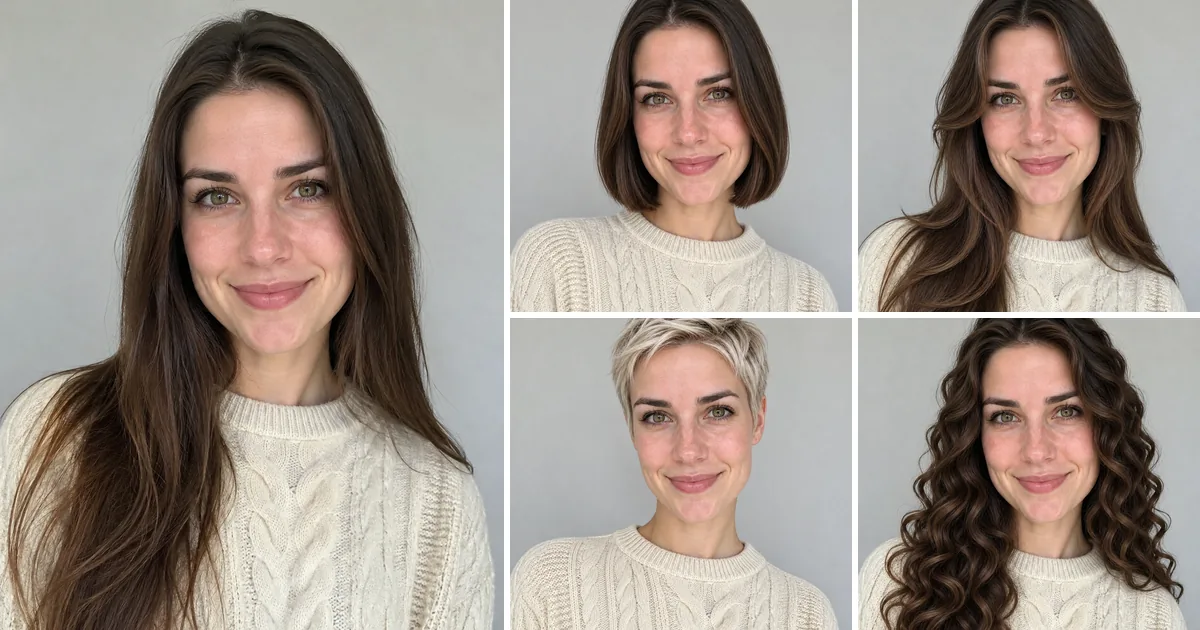
Pick a cut or a color and see it on your own head, with your face, skin and expression left alone.
Upload your photo
Pick a hairstyle or a color
You sign in with Google when you press Generate; your photo and style are kept.
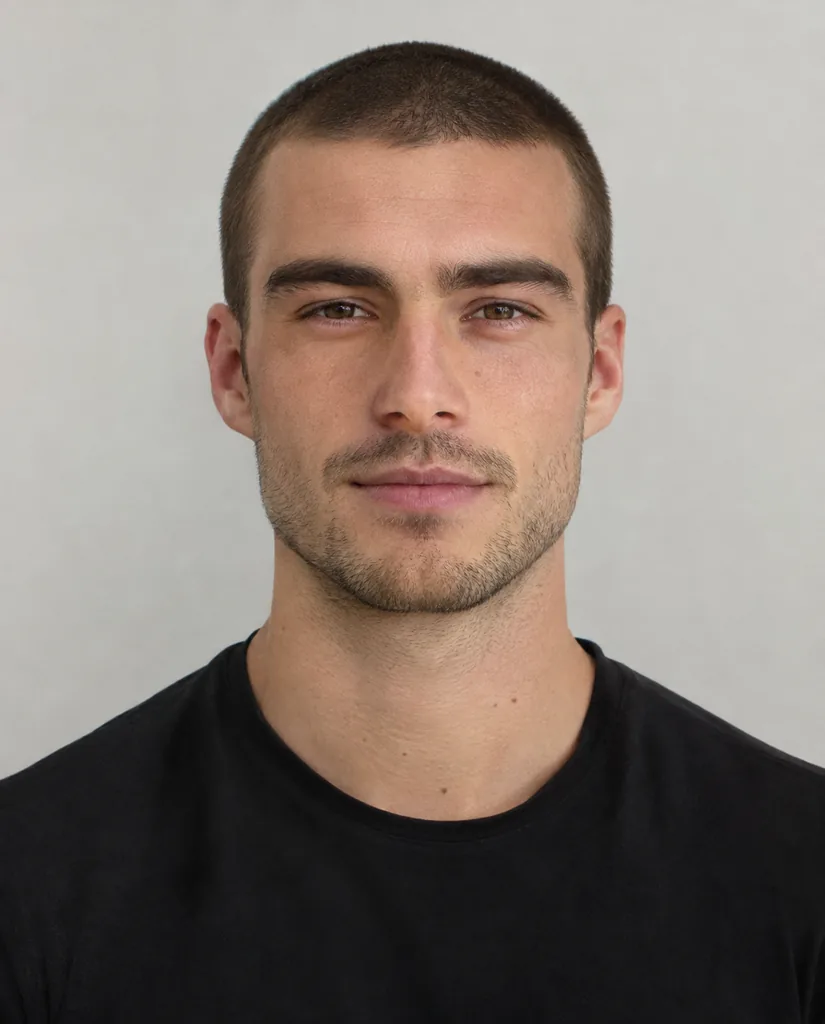
Buzz cut
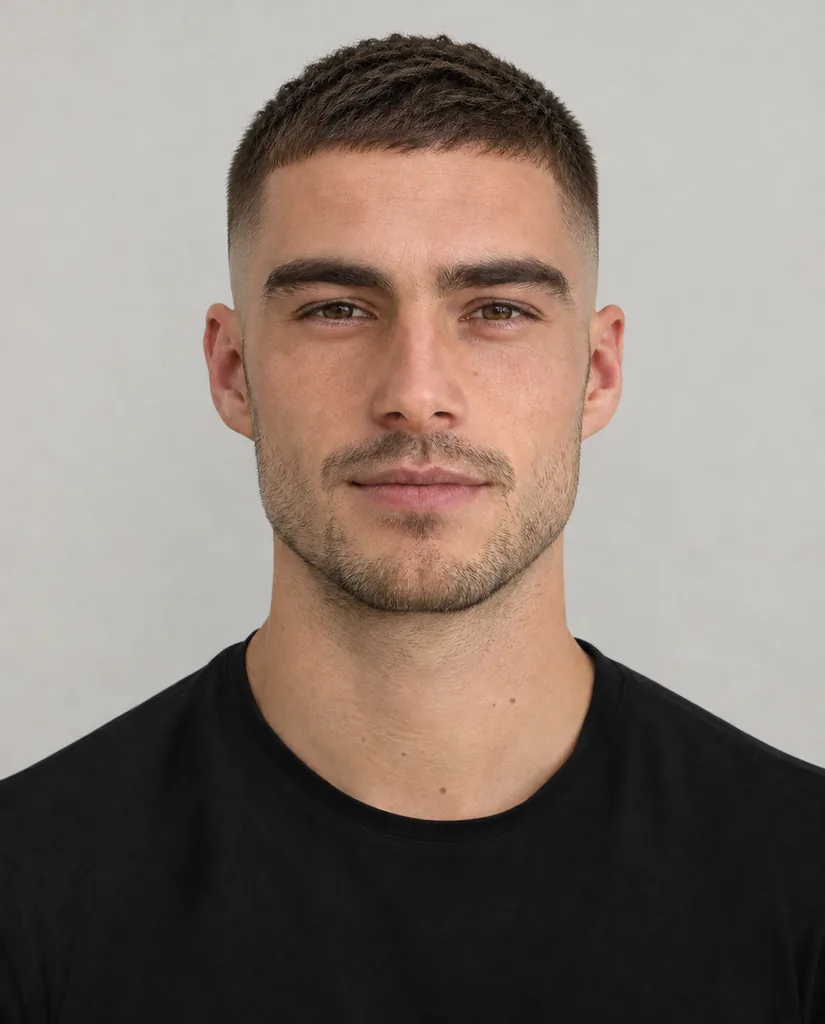
Low fade
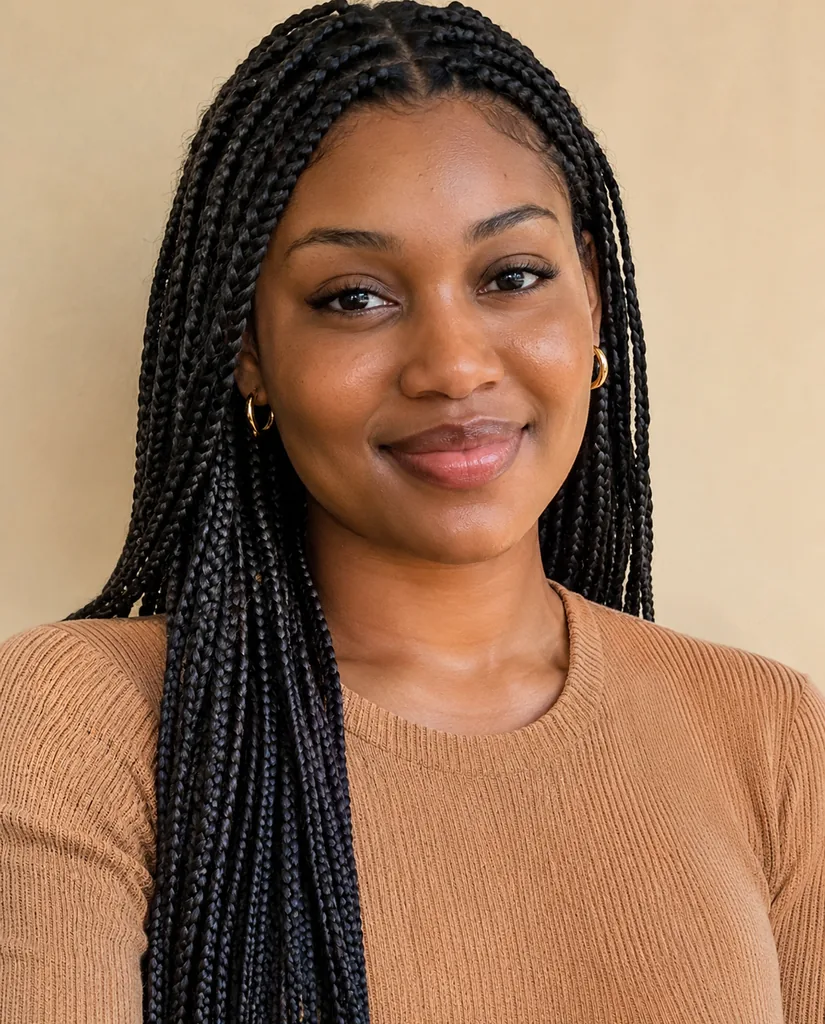
Box braids
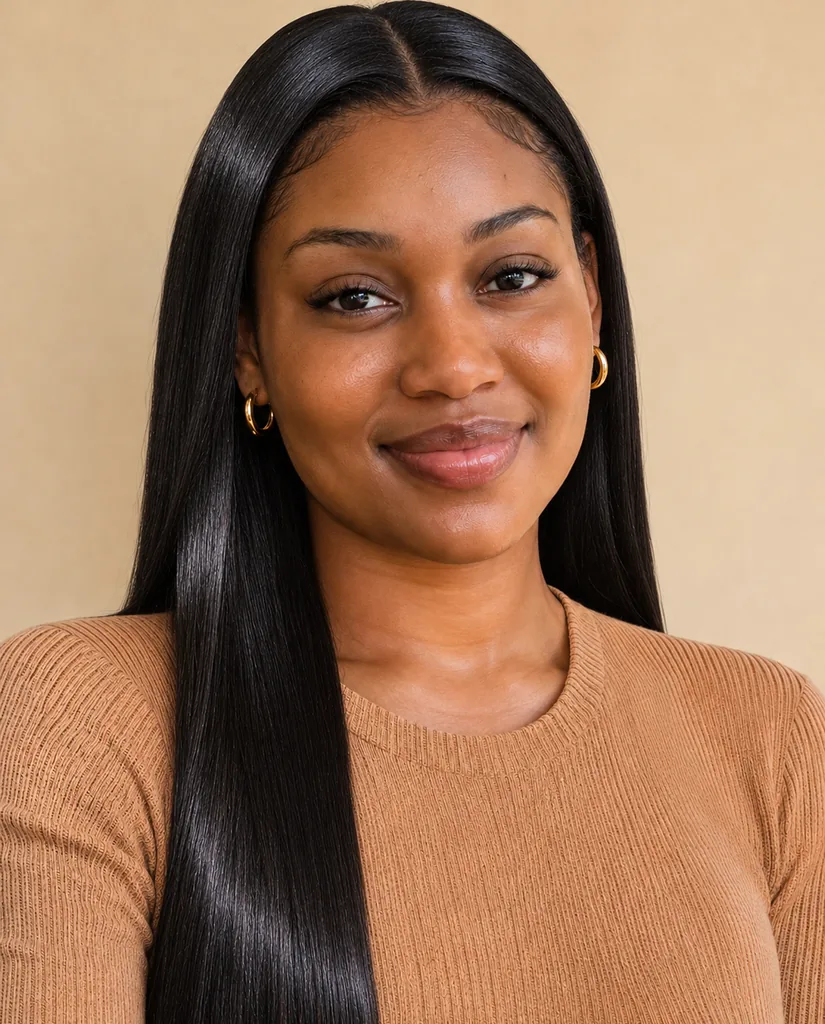
Silk press
Short answer: An AI hairstyle changer shows you a new haircut or hair color on your own photo before you commit to it. Upload one clear selfie at the top of this page, press one of 11 chips and press Generate. The chips cover cuts (Chin-length bob, Curtain bangs, Pixie cut, Buzz cut, Low fade and Shoulder-length waves), textured styles (Defined curls, Box braids and Silk press) and two colors (Platinum blonde and Copper red). Only the hair changes: your face, skin tone, expression, clothes and background are held as they are. A look comes back at 2K in about a minute for 6 credits, ready to show your stylist.
How to try a new hairstyle on your photo
- 1
Take a front-facing selfie
Face the camera, hair pulled back from your face or worn loose, forehead and ears visible if you can. Even light, no hat.
- 2
Upload it
One slot, one face. Crop a group photo to just you.
- 3
Pick a cut or a color
Cuts change length and shape; Platinum blonde and Copper red keep the shape and change only the color.
- 4
Generate, then try another
Each press is 6 credits. Most people try three or four looks from the same selfie and save the one to take to the salon.
AI hairstyle changer features
Try a related prompt
A man with a short buzz cut (AI-generated person)
Short cuts, including for men
Buzz cut takes the hair down to an even clipper length; Low fade keeps some length on top and blends the sides to skin. These are the looks most men ask about.
Try a related prompt
A man with a textured crop and a low skin fade (AI-generated person)
Fades with a clean blend
Low fade draws a gradual taper above the ears, the cut barbers call a low fade, so you can judge how much scalp shows before the clippers come out.
Try a related prompt
A woman with long knotless box braids (AI-generated person)
Box braids and textured styles
Box braids adds long, even box braids; Defined curls defines your curl pattern; Silk press shows natural hair pressed straight and glossy.
Try a related prompt
A woman with a straight silk press (AI-generated person)
Silk press and sleek looks
Silk press is a preview of a straightened finish with movement, useful before deciding on heat styling.
Bobs, bangs, pixies and waves
Chin-length bob cuts to the jaw; Curtain bangs adds a soft parted fringe; Pixie cut goes short and textured; Shoulder-length waves gives loose waves to the shoulder.
Hair color without dye
Platinum blonde and Copper red recolor the hair you already have, with natural roots and shine, so you can see the shade against your skin tone.
AI Hairstyle Changer at a glance
| Model | Made by | Sizes | Reference images | Credits per image |
|---|---|---|---|---|
| Nano Banana 2.1 | 1K, 2K, 4K | Up to 14 | 4 to 9 |
 Nano Banana 2.1
When to use an AI hairstyle changer
Before a big cut
Going from long to short is the decision people regret most. Chips: Pixie cut or Chin-length bob first.
Choosing a barber’s cut
See how much skin a fade shows on your head shape. Chips: Low fade and Buzz cut.
Protective styles
Braids take hours to install. Preview the length and parting first. Chip: Box braids.
Testing a hair color
Bleach is hard to undo. Chips: Platinum blonde or Copper red on a photo in daylight, so the skin tone is true.
Showing your stylist
A photo of the cut on your own face says more than a reference of someone else. Tip: save the result from Assets and bring it on your phone.
Fringe or no fringe
The classic hesitation. Chip: Curtain bangs, then compare with your original.
Which selfie gives the most realistic result
Hair is drawn around your head, so the more of your head the tool can see, the better it fits.
- Front on, at eye level. Photos from below make every cut look heavier.
- Hairline visible. Pull a fringe aside if you have one; the new style needs to know where your hair starts.
- No hat, headband or hood. They stay in the result and block the new cut.
- Daylight. Warm indoor light shifts the color, which matters most for the color chips.
- Very long or very full hair can leave traces when going short. A photo with the hair tied back helps.
What the result can and cannot tell you
It shows the shape, length and color on your face, which is the part that is hard to imagine. It does not know your hair’s real density or texture, so a stylist may need a few changes to get the same look in real life.
For color, treat the result as a direction rather than a formula. The final shade depends on your starting color and the salon’s products.
Photos and privacy
Use your own selfie or that of an adult who said yes. Photos of children and of recognisable public figures are declined, at no charge. Your selfie and your looks stay in your account and are not shown anywhere public.
Happy with the new hair? Put it in a professional portrait with the AI headshot generator.
Every hairstyle chip, explained
- Chin-length bob. A blunt cut at the jaw. Works on straight and wavy hair.
- Curtain bangs. A soft fringe parted in the middle, framing the eyes. Length elsewhere is kept.
- Pixie cut. Short and textured with a little length on top.
- Defined curls. Your own curls, defined and even, at their current length.
- Box braids. Long, neat box braids past the shoulders.
- Silk press. Natural hair pressed straight with shine and movement.
- Buzz cut. A short, even clipper cut all over.
- Low fade. Short sides blending down low above the ears, more length on top.
- Shoulder-length waves. Loose waves to the shoulders.
- Platinum blonde. Your cut, recolored icy platinum.
- Copper red. Your cut, recolored warm copper red.
Picking a cut for your face shape
Rules about face shapes are rough guides at best, which is exactly why seeing the cut on your own face beats reading about it. Still, a few starting points save credits.
- Round faces often like length past the chin: try Shoulder-length waves before Chin-length bob.
- Long faces are balanced by a fringe: Curtain bangs is the first one to try.
- Strong jawlines carry short cuts well: Pixie cut, Buzz cut or Low fade.
- Heart-shaped faces suit volume near the jaw, such as a bob or waves.
Then ignore all of that and try the one you actually want. That is what the tool is for.
Going shorter, going longer
Shortening is the easy direction: the tool removes hair and redraws the head shape underneath. Lengthening is harder because it invents hair that is not in the photo, so long looks such as braids or waves may need a second press for the most natural result.
If you have a lot of hair and want to see a buzz cut, tie it back tightly before the selfie. That gives the model a clearer outline of your head.
Each press of a different chip is a new render at 6 credits, from the same upload, so you never need to upload twice.
Taking the result to the salon
A preview on your own face gives a stylist something precise to work with, but it helps to bring a little more.
- Bring your original next to the result. It shows how far you want to go.
- Say what you like about it: the length, the fringe, the shape at the back. Stylists can match those even if your texture differs.
- For color, bring the daylight version. Indoor screens shift warm tones.
- Ask whether it suits your hair type. A silk press or a pixie behaves differently on very fine or very thick hair.
The 2K file is sharp enough to zoom into on a phone, so the stylist can see the ends and the parting.
FAQ
What is an AI hairstyle changer?
A tool that redraws the hair in your photo as a new cut or color and keeps your face and everything else the same.
Is there a free AI hairstyle changer?
Not here. There is no free version of the hairstyle tool: it works from your photos on a paid model. Genvima's free Basic engine (one free video and three free images a day) makes clips and pictures from a written prompt only, so it cannot use your photos. Each look costs 6 credits from a plan or a credit pack, and you see that on the button before anything runs.
Can I use it online without an app?
Yes, it works in any browser on a phone or a computer. You sign in with Google when you first press Generate.
Does it have hairstyles for men?
Yes. Buzz cut and Low fade are the most common men’s cuts, and Defined curls, Box braids and Shoulder-length waves work for longer hair on anyone.
Does it work for Black hair and natural textures?
Yes. Box braids, Silk press and Defined curls are written for textured hair, and the tool keeps your own skin tone exactly.
Can I only change my hair color?
Yes. Platinum blonde and Copper red keep your current cut and change only the shade.
Will my face change?
No. Every chip tells the model to keep your face, skin, expression, clothes and background exactly as they are.
Can I try a style that is not on the list?
The 11 chips are fixed. For a style you describe in your own words, the [AI image generator](/image) takes a photo and a written prompt.
What happens if it fails?
The 6 credits come back to you automatically.
Can I see how I look bald?
The closest look is Buzz cut, which takes the hair down to a very short even length. There is no fully shaved chip.
Do I need to write a prompt?
No. Each chip is a complete hairstyle description already. You upload a selfie and press one.
Keep exploring
- AI Headshot GeneratorA casual selfie turned into a chest-up studio portrait, your own face kept.Open
- AI Outfit GeneratorSee yourself in a suit, a wedding guest dress or a photo of clothes you found.Open
- AI Figurine GeneratorTurn a photo of you or your pet into a collectible figure, a chibi toy or a boxed action figure.Open
- Seedream 5.5ByteDance’s newest image model: realistic light, legible small text, and edits that hold up over many rounds.Open
- AI Image GeneratorText to image and image to image on 15 image models.Open
- PricingPlans and credit packs. One balance pays for every video and image model.Open