AI Video Maker
Make a video from a sentence, a photo, a set of reference images or a start and an end frame, on any of 13 models.
Write your idea first. You sign in when you press Generate.
Short answer: Genvima is an online AI video maker. You choose how to start (a written scene, a photo, several reference images or a start and an end frame), pick one of 13 video models from ByteDance, Kling, Google, Alibaba, MiniMax and xAI, and the clip renders in your browser with no software to install. Clips run from 5 to 15 seconds at up to 1080p, and 11 of the models write their own soundtrack. Every model is paid from the same credit balance, the price of each clip is on the Generate button, and the cheapest clip is 13 credits. To start without paying, the free Basic engine gives every signed-in account one free video and three free images a day, with no credit card.
How to make a video with the AI video maker
Everything happens on this page. You only sign in with Google when you press Generate.
- 1
Choose how to start
With words only, with a photo as the first frame, with reference images for the cast and the place, or with a start and an end frame. The modes are explained below.
- 2
Describe the shot
Write what happens and how the camera moves. If you start from a photo, describe only the motion; the photo already says what things look like.
- 3
Pick a model, a length and a shape
The model menu shows each model’s strength, resolution, clip lengths and price. Shapes are 16:9, 9:16, 4:3, 3:4, 1:1, 21:9.
- 4
Generate and download
Press Generate. The clip appears next to the panel and in Assets as an MP4, and you can run the same prompt on another model to compare.
Ways to make a video
Pick a mode at the top of the generator. Not every model works in every mode; the menu only offers the ones that do.
A Veo 3.1 Fast ice-cave shot from our homepage film, shown here as a short excerpt. Try a related prompt
A red vintage tram climbs a steep hillside street at sunrise, mist in the valley below, the camera tracks alongside at window height, warm light flickering through the trees.
Text to Video
Write a scene and the model builds everything: the people, the place, the light and the camera move. All 13 models work here. It is the quickest way to try an idea.
A woman hangs laundry in the sunlight, animated from a starting image. Try a related prompt
The couple in the photo hugs and sways gently, her hair moving in the evening wind, golden grass swaying, the camera slowly pushes in.
Image to Video
Add one photo and it becomes the first frame. The face, the product and the light come from your picture; the prompt only has to say what moves. Same mode as Text to Video, with a photo attached.
A camera moves through a sunset kitchen toward three drink cans, combining product and setting references. Try a related prompt
The woman from the first image and the dog from the second image walk along the beach from the third image at sunset, the dog runs ahead and looks back, handheld camera.
Reference to Video
Give several images, such as a character, a second character and a place, and describe a new shot with all of them in it. The model keeps their look without copying any one photo as a frame. 10 models.
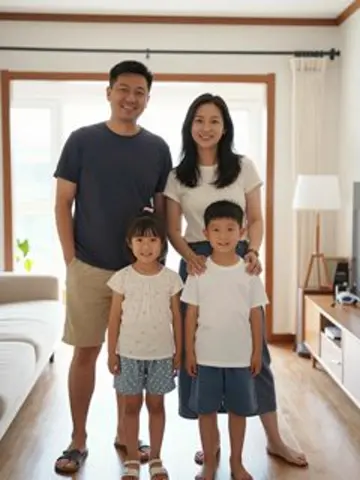
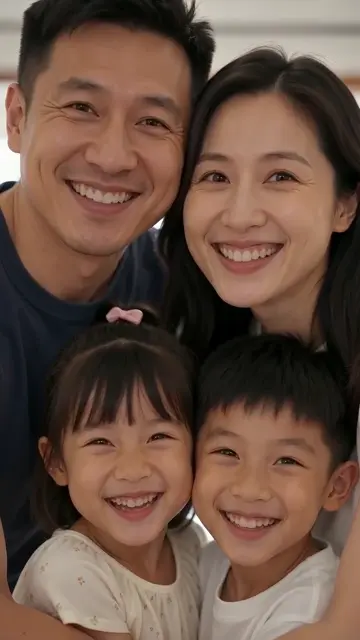
The camera moves between a wide family portrait and a close selfie, guided by two frames. Try a related prompt
Start: a family selfie on a sofa. End: the same family standing in their living room waving. The camera pulls back smoothly between the two.
Start and End Frames
Fix the first and the last picture and let the model animate the move between them: a transformation, a reveal, a before and after. 10 models.
A singer moves from backstage to a live performance with synchronized sound. Try a related prompt
A street musician plays a trumpet under a bridge in the rain, the notes echo, cars hiss past on the wet road, a passer-by says "Beautiful" and drops a coin.
Video with sound
11 of the 13 models write the soundtrack with the picture: voices, footsteps, rain, music. Write the line of dialogue in quotes and the sound you want in plain words.
All 13 AI video models and their prices
| Model | Best for | Resolution | Clip length | Sound | Modes | From |
|---|---|---|---|---|---|---|
| Seedance 2.5 | Top quality | 480p, 720p, 1080p | 5, 10, 15 s | Yes | Text/Image, Reference, Frames | 97 credits |
| Seedance 2.0 | Best overall | 480p, 720p, 1080p | 5, 10, 15 s | Yes | Text/Image, Reference, Frames | 66 credits |
| Seedance 2.0 Fast | Faster | 480p, 720p | 5, 10, 15 s | Yes | Text/Image, Reference, Frames | 40 credits |
| Seedance 2.0 Mini | Best value | 480p, 720p | 5, 10, 15 s | Yes | Text/Image, Reference, Frames | 19 credits |
| Kling 4.0 | Cinematic | 720p, 1080p | 5, 10, 15 s | Yes | Text/Image, Reference, Frames | 140 credits |
| Kling 3.0 | Native audio | 720p, 1080p | 5, 10, 15 s | Yes | Text/Image, Frames | 101 credits |
| Veo 3.1 | Best realism | 720p, 1080p | 8 s | Yes | Text/Image, Frames | 200 credits |
| Veo 3.1 Fast | Faster | 720p, 1080p | 8 s | Yes | Text/Image, Reference, Frames | 28 credits |
| Wan 3.0 | Realistic | 480p, 720p, 1080p | 5, 10, 15 s | Yes | Text/Image, Reference, Frames | 33 credits |
| HappyHorse 1.1 | Vivid motion | 720p, 1080p | 5, 10, 15 s | No | Text/Image, Reference | 130 credits |
| MiniMax H3 | Flexible | 720p | 5, 10, 15 s | Yes | Text/Image, Reference, Frames | 58 credits |
| Hailuo 2.3 | Dynamic motion | 720p | 6, 10 s | No | Text/Image | 59 credits |
| Grok Imagine | Fun and fast | 480p, 720p | 6, 10, 15 s | Yes | Text/Image, Reference | 13 credits |
 Seedance 2.5
 Kling 4.0
 Veo 3.1
 Wan 3.0
 MiniMax H3
 Grok Imagine
Video models and effects
- Seedance 2.0ByteDance’s video model with sound: multi-shot clips up to 15 seconds, from text, a photo or reference images.Open
- Seedance 2.5ByteDance’s newest video model: finer skin, fabric and light, multi-shot stories and sound in one pass.Open
- Kling 4.0Kuaishou’s newest video model for long, steady camera moves and fast action that stays smooth.Open
- Veo 3.1Google’s video model: realistic scenes with dialogue, sound effects and ambience made in the same pass.Open
- Tiny Desk AIYou on lead vocals in the viral desk concert, your friends as the band.Open
- No Scrubs AIYou and up to two friends in the silver-room music video, each in your own clothes.Open
- Never Let Her Pay AIYou wave her card away, unzip your pouch, and the wallet turns out to be a kitchen sponge.Open
- Sheru Bhai AIOne photo, 13 scenes with the white lion boss, and the Hindi line he says is yours.Open
- Hotline Bling AITwo people take turns through rooms of pink, icy blue, purple and green light.Open
- Wassup in a Minute AIThree of you stroll down a foggy hill, hold your heads and ham it up.Open
What people make with an AI video maker
Six common jobs, each with a prompt you can paste into the box above and change.
TikTok, Reels and Shorts
Vertical clips from a photo or an idea, in the trend format of the week or your own. Choose 9:16 in the settings.
Try this promptA golden retriever in sunglasses rides a skateboard down a seaside boardwalk, slow motion, low tracking shot, summer light, 9:16.
YouTube intros and b-roll
Wide shots to open a video or cover a voice-over, in 16:9 at up to 1080p on the models that offer it.
Try this promptAerial drone shot over a foggy pine forest at dawn, slowly rising to reveal snow-capped mountains, cinematic, 16:9.
Marketing and product clips
A product spin from a listing photo, a lifestyle shot from a prompt, several hooks to test against each other.
Try this promptThe sneaker from the photo rotates slowly on a wet black surface, neon reflections, a single drop of water falls beside it, studio light.
Story and concept work
Scenes for a pitch, a trailer or an animatic, with a cast you keep from shot to shot through reference images.
Try this promptThe knight from the reference image walks into a ruined chapel, dust in the light beams, the camera follows from behind, then turns to reveal his face.
Old photos that move
A family photo or a portrait that blinks, smiles and turns its head, with the face kept from the picture.
Try this promptThe grandmother in the photo smiles, blinks and turns her head slightly toward the window, soft afternoon light, gentle camera push in.
Music visuals and loops
Scenes to sit behind a track, a lyric video background or a visualizer, in any shape.
Try this promptSlow neon waves of purple and teal light pulse across a dark city skyline, rain on the lens, dreamy synthwave mood, seamless loop.
AI video models by family
Every family in the studio, its models and where to start. Lengths, sizes and prices come from the studio’s settings.
| Family | Models | Clip lengths | Top size | From |
|---|---|---|---|---|
| ByteDance | Seedance 2.5, Seedance 2.0, Seedance 2.0 Fast and Seedance 2.0 Mini | 5, 10, 15 s | 1080p | 19 credits |
| Kling | Kling 4.0 and Kling 3.0 | 5, 10, 15 s | 1080p | 101 credits |
| Veo 3.1 and Veo 3.1 Fast | 8 s | 1080p | 28 credits | |
| Alibaba | Wan 3.0 and HappyHorse 1.1 | 5, 10, 15 s | 1080p | 33 credits |
| MiniMax | MiniMax H3 and Hailuo 2.3 | 5, 6, 10, 15 s | 720p | 58 credits |
| xAI | Grok Imagine | 6, 10, 15 s | 720p | 13 credits |
What an AI video maker is
An AI video maker turns a description, a photo or a few images into a short video clip, without a camera, actors or editing software. The work is done by a video model: a neural network trained on a very large amount of footage, which predicts what the next frames of a scene should look like and how they should move.
You do not need to know how the models work to use them well. You need to know what each one is good at, what you can give it to start from, and how to describe a shot. The rest of this page covers those three things, model family by model family.
ByteDance Seedance models
Seedance is ByteDance’s video family and the backbone of the studio: 4 models that share one prompt style, make sound with the picture and cover every price point. Seedance 2.0 is the all-rounder, Seedance 2.5 the top-quality model for close-ups of skin, fabric and products, and the Fast and Mini versions are for drafts and volume.
- Seedance 2.5 (top quality): 5, 10 or 15 second clips at 480p to 1080p, with sound; Text/Image to Video, Reference to Video and Start and End Frames; from 97 credits.
- Seedance 2.0 (best overall): 5, 10 or 15 second clips at 480p to 1080p, with sound; Text/Image to Video, Reference to Video and Start and End Frames; from 66 credits.
- Seedance 2.0 Fast (faster): 5, 10 or 15 second clips at 480p to 720p, with sound; Text/Image to Video, Reference to Video and Start and End Frames; from 40 credits.
- Seedance 2.0 Mini (best value): 5, 10 or 15 second clips at 480p to 720p, with sound; Text/Image to Video, Reference to Video and Start and End Frames; from 19 credits.
A good habit: draft a shot on Mini, and render the take you keep on 2.0 or 2.5 with the same prompt.
Kling models
Kling is the family for camera work: long tracking shots, orbits around a subject and fast action that stays readable. Kling 4.0 is the newest and the most cinematic; Kling 3.0 stays in the menu as the cheaper choice with sound.
- Kling 4.0 (cinematic): 5, 10 or 15 second clips at 720p to 1080p, with sound; Text/Image to Video, Reference to Video and Start and End Frames; from 140 credits.
- Kling 3.0 (native audio): 5, 10 or 15 second clips at 720p to 1080p, with sound; Text/Image to Video and Start and End Frames; from 101 credits.
Google Veo models
Veo is Google’s video family, the choice when realism and speech matter most: lip-synced dialogue, natural voices and sound that matches the room. Veo 3.1 is the full model; Veo 3.1 Fast costs much less and adds Reference to Video.
- Veo 3.1 (best realism): 8 second clips at 720p to 1080p, with sound; Text/Image to Video and Start and End Frames; from 200 credits.
- Veo 3.1 Fast (faster): 8 second clips at 720p to 1080p, with sound; Text/Image to Video, Reference to Video and Start and End Frames; from 28 credits.
Alibaba Wan and HappyHorse
Alibaba makes two video models with different strengths. Wan 3.0 is the realistic one and makes its own sound; HappyHorse 1.1 is silent but known for lively, energetic motion, which suits dance, sport and animals. Both take reference images, so a cast can follow you from shot to shot.
- Wan 3.0 (realistic): 5, 10 or 15 second clips at 480p to 1080p, with sound; Text/Image to Video, Reference to Video and Start and End Frames; from 33 credits.
- HappyHorse 1.1 (vivid motion): 5, 10 or 15 second clips at 720p to 1080p, silent; Text/Image to Video and Reference to Video; from 130 credits.
MiniMax H3 and Hailuo
MiniMax makes two models with different jobs. MiniMax H3 is the flexible one, with Reference to Video for keeping a cast; Hailuo 2.3 is the one for dynamic motion from a single prompt: chases, spins, fast camera moves. Both are silent, so add music or a voice-over afterwards.
- MiniMax H3 (flexible): 5, 10 or 15 second clips at 720p, with sound; Text/Image to Video, Reference to Video and Start and End Frames; from 58 credits.
- Hailuo 2.3 (dynamic motion): 6 or 10 second clips at 720p, silent; Text/Image to Video; from 59 credits.
xAI Grok Imagine
Grok Imagine from xAI is the fun, fast model: quick takes with sound, good for memes, reactions and testing an idea before you render it on a bigger model. It works from text or a single photo.
- Grok Imagine (fun and fast): 6, 10 or 15 second clips at 480p to 720p, with sound; Text/Image to Video and Reference to Video; from 13 credits.
How to choose an AI video model
There is no single best model; there is a best model for the clip in front of you. Four questions narrow it down.
- Does it need sound? Then choose one of the 11 models with sound. Veo 3.1 is the strongest at speech; the Seedance models are close and cheaper.
- Is the camera the star? For long tracking shots and orbits, try Kling 4.0.
- Will it be seen in close-up? For skin, fabric and product detail, try Seedance 2.5.
- Do you need the same people in every shot? Use Reference to Video, on one of the 10 models that offer it.
For every first draft, start cheap: Grok Imagine costs from 13 credits and Seedance 2.0 Mini from 19. Seedance 2.0 is the all-rounder once the draft works and you want a better take.
Start from text, a photo or frames?
Starting from text builds the whole scene from words: the model chooses the faces, the clothes and the set. Use it for ideas, b-roll and anything with no fixed cast. Describe what a camera would see (who, where, what happens, how the camera moves) rather than how the video should feel.
Starting from a photo keeps the face, the product and the light that are in your picture, so the prompt only has to describe the motion. Use it when the look is already decided. A sharp, well lit photo with one clear subject gives the steadiest clip.
Reference images are for a cast: the model draws the people and the place from your pictures but invents the shot. Start and end frames are for a planned move, where you know exactly where the clip begins and ends.
A common workflow joins the two halves of the site: make the frame with the AI image generator, then animate it here.
How to make an AI video from a photo
- Choose Text/Image to Video and add your photo. It becomes the first frame.
- Write only the motion: "she turns to the camera and laughs, the wind lifts her hair, slow push in".
- Match the shape to the photo, 9:16 for a phone picture, 16:9 for a landscape.
- Pick a short clip for the first try; long clips give the model more time to drift away from the photo.
- Generate, watch it, and change one word of the motion at a time.
How to write a video prompt
A video prompt is a shot description. One good sentence names the subject, the action, the place and the camera.
- Subject and action: "a chef flips a pancake", not "cooking".
- Place and light: "in a small Paris kitchen, morning light through the window".
- Camera: static, slow push in, tracking shot, orbit, handheld, drone.
- Sound on models that make it: "the pan sizzles, she laughs".
- Dialogue in quotes, short, one line per speaker.
- One shot per clip. Two scenes in one prompt usually come out as neither.
Videos for TikTok, YouTube and marketing
Every model renders in 16:9, 9:16, 4:3, 3:4, 1:1, 21:9. Use 9:16 for TikTok, Reels and Shorts, 16:9 for YouTube and presentations, 1:1 for feed posts, and 21:9 for a cinematic banner.
For marketing, make several short hooks from one product photo and test them against each other rather than polishing one long clip. For YouTube, AI clips work best as intros, b-roll and scene-setters between the parts you film yourself.
AI video with sound, music and voices
Sound used to be a separate job: you made the clip, then found music and recorded a voice. 11 of the models here make the soundtrack together with the picture, so footsteps land on the beat of the walk, rain sounds like rain on that street and a character’s lips move with the words.
- Dialogue: put the line in quotes and say who speaks it: the old man says "We are closed".
- Sound effects: name them plainly: a door creaks, waves break, a crowd cheers.
- Music: describe the mood and the instrument: soft piano, upbeat ukulele, a heavy drum beat.
- Silence: if you plan to add your own track, choose a silent model or ask for "no music, ambient sound only".
For a song or a voice-over you already have, render the clip silent or with ambient sound and lay your audio over it in an editor.
Keeping the same character in every clip
Every run of a video model invents details, so the same prompt gives a slightly different person each time. Three ways to keep a character steady across a series:
- Start every clip from the same photo in Text/Image to Video. The face and the clothes come from the picture.
- Use Reference to Video with a clear picture of each character and of the place. 10 models offer it.
- Make the frames first in the AI image generator, with one character sheet as a reference, then animate each frame.
Describe the character with the same words in every prompt, and keep the light and the place similar from clip to clip.
Making a longer video from several clips
A single clip is 5 to 15 seconds. A longer video is a sequence of shots, the same way a film is, and that is also the way to make it with AI.
- Write the story as a short shot list: one line per shot, with the camera move.
- Generate each shot as its own clip, in the same shape and on the same model.
- Use the last frame of one clip as the start frame of the next when the shots should flow into each other.
- Join the clips in any editor, add titles and music, and export.
Short shots of three to five seconds cut together feel more natural than one long generated take.
How credits work for video
A clip’s price depends on the model, its length and its resolution, and the Generate button shows the exact number before you start. The cheapest clip in the studio is 13 credits on Grok Imagine; the table above lists the lowest price for each model.
Credits are shared with the image generator, so one balance covers frames and clips. You sign in with Google, buy a plan or a credit pack, and every clip shows its price in credits on the Generate button before you spend anything. Genvima has a free Basic engine: sign in with Google and you get one free video and three free images a day, with no credit card. Free images carry a small genvima.com watermark, and a free clip plays on the site and downloads after your first purchase. A clip that fails or is refused costs nothing; the credits return to your balance on their own.
Ready-made effects
If you would rather not write a prompt, effect pages do the writing for you. Tiny Desk AI was the first: you add up to five photos and the page supplies the prompt, the motion and the timing. No Scrubs AI puts you and up to two friends into the silver-room dance in your own clothes. Sheru Bhai AI puts one photo of you beside the white lion boss in a scene you pick, Never Let Her Pay AI turns you into the date who pays with a kitchen sponge, Hotline Bling AI has you and a partner dancing through glowing coloured rooms, and Wassup in a Minute AI walks you and two friends up a misty hillside. More effects are added as their trends take off.
What an AI video maker cannot do yet
- Clips are short, 15 seconds at most here. A longer video is several clips joined in an editor.
- Words inside the picture are often misspelled; add titles and captions afterwards.
- Every run is different. Keep a cast consistent with a first-frame photo or reference images.
- Hands and crowds can still go wrong in fast motion. Generate again or simplify the shot.
- Some requests are refused, such as public figures and unsafe content. A refused or failed clip is not charged.
Genvima is an independent studio and is not affiliated with the companies that make these models; we reach them through commercial API providers.
FAQ
What is an AI video maker?
An AI video maker is a tool that generates video clips with AI models instead of a camera. You give it a description, a photo or a few reference images, and it produces a finished clip, on many models with sound.
Which AI video models does Genvima have?
Seedance 2.5, Seedance 2.0, Seedance 2.0 Fast, Seedance 2.0 Mini, Kling 4.0, Kling 3.0, Veo 3.1, Veo 3.1 Fast, Wan 3.0, HappyHorse 1.1, MiniMax H3, Hailuo 2.3 and Grok Imagine.
How long are the videos?
From 5 to 15 seconds depending on the model. Most models make 5, 10 or 15 second clips; Veo 3.1 and Veo 3.1 Fast make 8 second clips; Hailuo 2.3 makes 6 or 10 second clips; Grok Imagine makes 6, 10 or 15 second clips.
Can I make an AI video from a photo?
Yes. Choose Text/Image to Video, add the photo as the first frame and describe how it should move. For several photos of the same people, use Reference to Video.
Can the AI video maker add sound and voices?
Yes, on 11 models: Seedance 2.5, Seedance 2.0, Seedance 2.0 Fast, Seedance 2.0 Mini, Kling 4.0, Kling 3.0, Veo 3.1, Veo 3.1 Fast, Wan 3.0, MiniMax H3 and Grok Imagine. Write the dialogue in quotes and describe the sounds you want.
Can I turn a script or a text into a video?
Yes, one shot at a time. Break the script into scenes, write each as a shot description and generate them as separate clips, then join them in an editor.
What is the best AI video maker for TikTok?
Any model here renders 9:16. For quick vertical clips start on Seedance 2.0 Mini; for clips with speech try Veo 3.1 or Seedance 2.0.
Do I need editing skills?
No. You write a sentence or upload a photo, choose a model and press Generate. Editing software is only needed if you want to join several clips or add titles.
Is the AI video maker free?
Yes, with a daily limit. Genvima has a free Basic engine: sign in with Google and you get one free video and three free images a day, with no credit card. Free images carry a small genvima.com watermark, and a free clip plays on the site and downloads after your first purchase. The 13 full models are paid with credits: You sign in with Google, buy a plan or a credit pack, and every job shows its price in credits on the Generate button before you spend anything. The cheapest paid clip is 13 credits on Grok Imagine.
Can I use the videos commercially?
Paid plans include commercial use of what you make. Check that your prompts and uploads do not use other people’s likeness or trademarks without permission.
Are my uploads and videos private?
Yes. They are stored in a private library that only your account can open, and they are not shown in a public gallery.
What happens if a video fails?
If a model fails or refuses the request, the credits for that clip go back to your balance automatically.
Keep exploring
- AI Image GeneratorText to image and image to image on 15 image models.Open
- Seedance 2.0ByteDance’s video model with sound: multi-shot clips up to 15 seconds, from text, a photo or reference images.Open
- Tiny Desk AIYou on lead vocals in the viral desk concert, your friends as the band.Open
- No Scrubs AIYou and up to two friends in the silver-room music video, each in your own clothes.Open
- Sheru Bhai AIOne photo, 13 scenes with the white lion boss, and the Hindi line he says is yours.Open
- Never Let Her Pay AIYou wave her card away, unzip your pouch, and the wallet turns out to be a kitchen sponge.Open
- Hotline Bling AITwo people take turns through rooms of pink, icy blue, purple and green light.Open
- Wassup in a Minute AIThree of you stroll down a foggy hill, hold your heads and ham it up.Open
- PricingPlans and credit packs. One balance pays for every video and image model.Open
Try AI Video Maker now
Write the idea, pick the model, and see the price before you generate.
Back to the prompt box