AI Headshot Generator
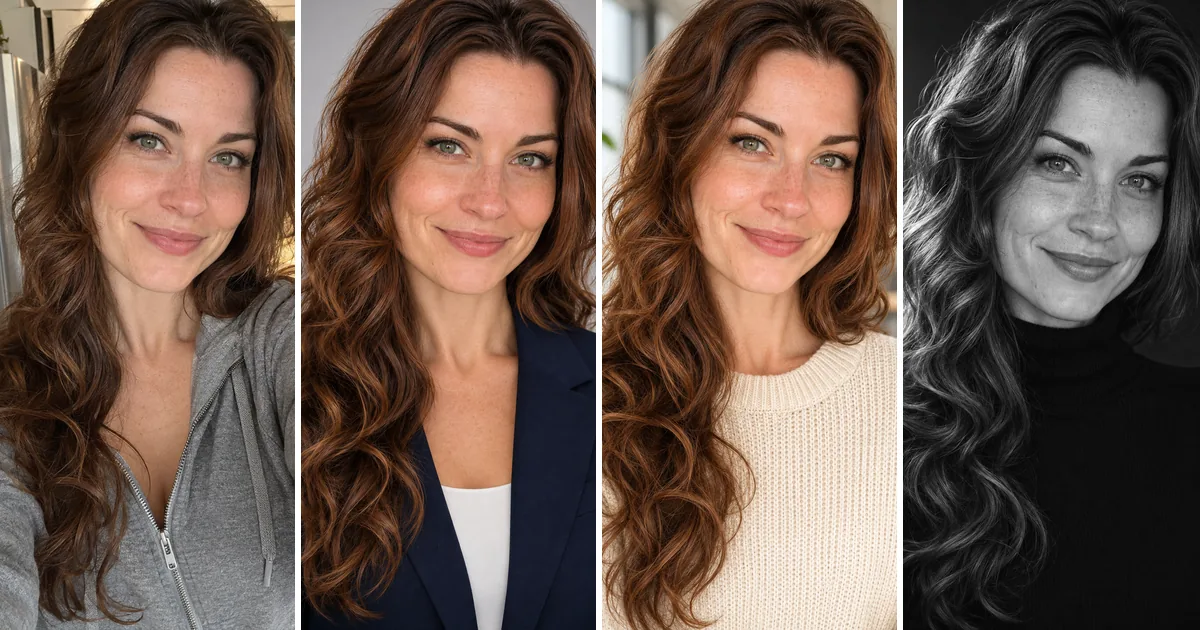
One selfie goes in and a chest-up business portrait comes back, with your face, hair and expression left as they are.
Upload a selfie or any photo of you
Pick a headshot style
You sign in with Google when you press Generate; your photo and style are kept.
Corporate
Outdoor
Creative
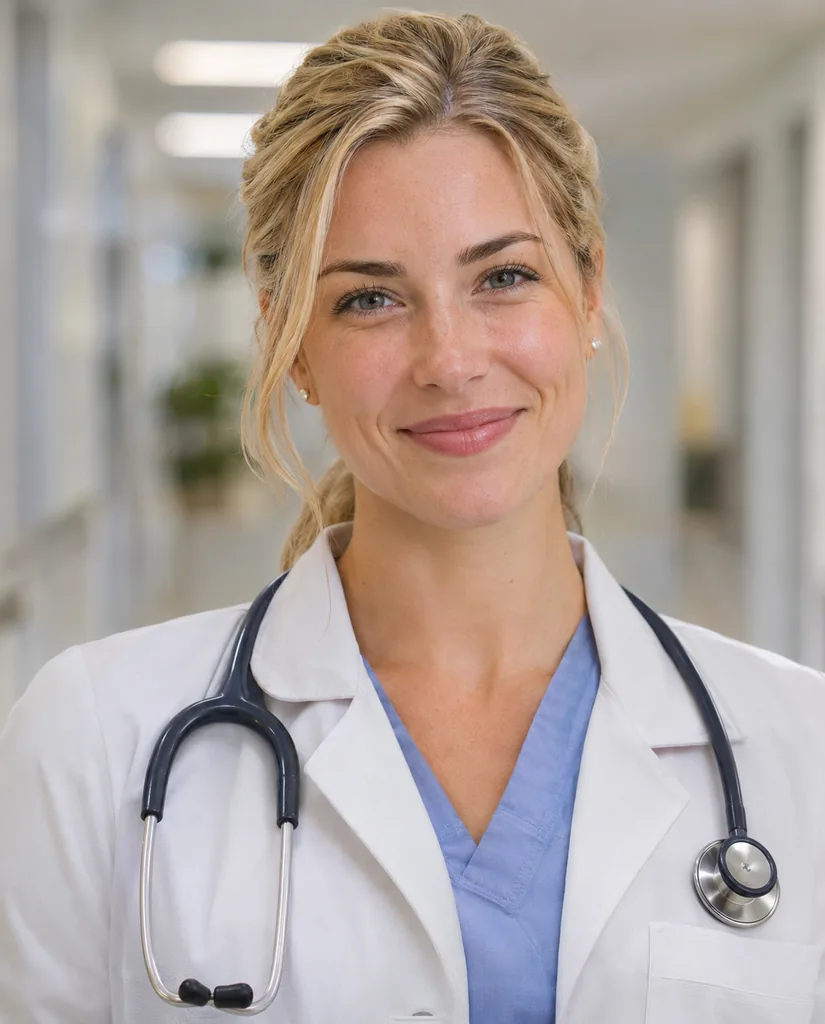
Healthcare
Short answer: An AI headshot generator turns an everyday photo of you into a studio portrait: new clothes, backdrop and light, same face. This one is at the top of the page. Upload one selfie, press one of the 8 style chips (Corporate, LinkedIn, Black and white, Healthcare, Real estate and Startup casual among them) and press Generate. There is no training step and no set of twenty photos: one picture is enough. Each headshot is 2K in a 4:5 chest-up frame, arrives in about a minute and costs 6 credits. Every chip tells the model not to slim, smooth or beautify you, so the portrait still looks like the person who shows up to the meeting.
How to get an AI headshot from a selfie
- 1
Take or pick one selfie
Face the camera, chin level, nothing covering your face. Daylight from a window in front of you is ideal. A cropped photo from a trip works too if your face is large and sharp.
- 2
Upload it
One slot, one person. PNG, JPEG and WebP are accepted. Crop a group photo down to just you first.
- 3
Choose the room you are dressing for
Corporate for formal firms, LinkedIn for most profiles, Healthcare or Real estate for those professions, Black and white for an author or speaker page.
- 4
Generate, compare, keep the best
Each press is 6 credits. Put the result next to your selfie: eyes, nose and smile should be yours. Most people try three styles and keep one.
AI headshot generator features
Try a related prompt
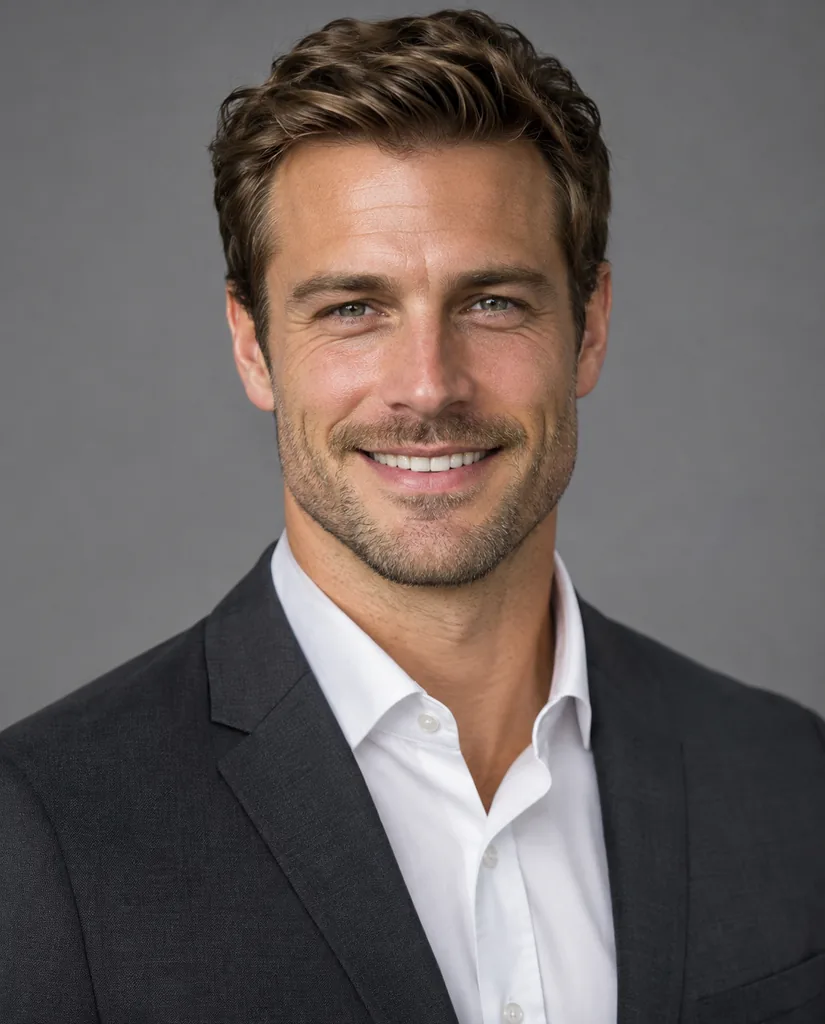
A man in a charcoal suit on a gray backdrop (AI-generated person)
Corporate headshots on a studio gray
Corporate puts you in a tailored navy blazer and white shirt against a plain light gray sweep, the look law, finance and consulting sites use for their team pages.
LinkedIn-ready, smart casual
LinkedIn swaps the suit for a knit top and a softly blurred modern office. It reads current and approachable once LinkedIn shrinks it to a circle.
Try a related prompt
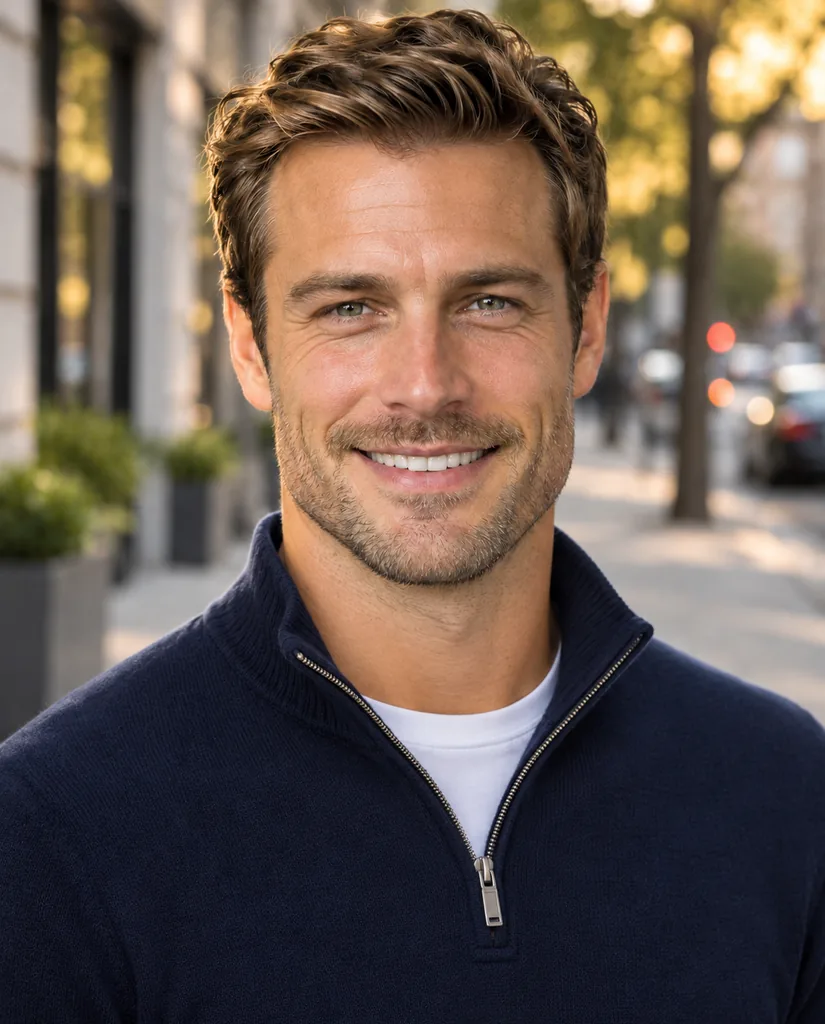
A man in a navy quarter-zip with a blurred city street (AI-generated person)
Outdoor and creative looks
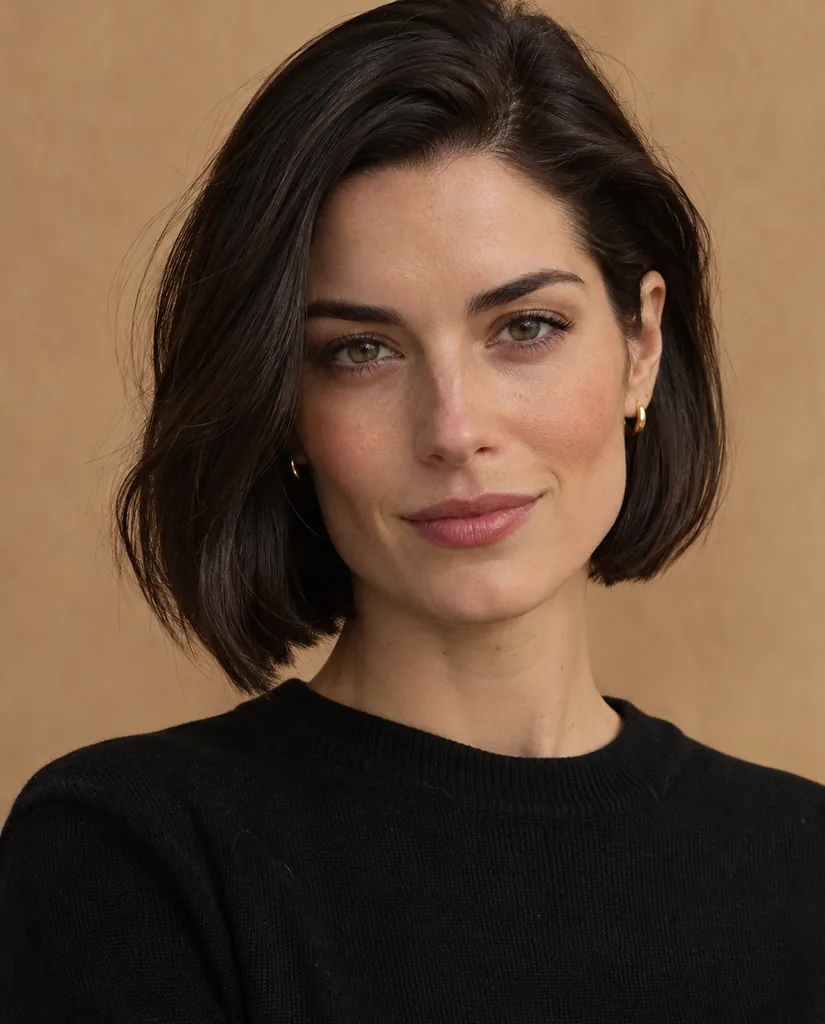
Outdoor uses a city street in late light; Creative a black crew neck on warm beige with editorial side light; Startup casual a tee and blazer against brick.
Try a related prompt
A young woman in a white lab coat in a clinic hallway (AI-generated person)
Profession-specific styles
Healthcare dresses you in a white coat in a clinic corridor, and Real estate in a blazer in front of a bright living room: the photos clients see on booking sites and listing pages.
Try a related prompt
A young woman in a black sweater on a beige backdrop (AI-generated person)
Your face, not a better-looking stranger
Each chip ships with an instruction to keep identity, features, skin tone, hairstyle, eye color and expression, with natural skin texture. Quiet beautifying is the most common complaint about AI portraits; this tool is set against it.
One photo, results in a minute
Many headshot apps ask for a batch of photos and train for hours. Here one selfie is read at render time, so a headshot is back in about a minute, at 2K, sharp enough for print badges.
AI Headshot Generator at a glance
| Model | Made by | Sizes | Reference images | Credits per image |
|---|---|---|---|---|
| Nano Banana 2.1 | 1K, 2K, 4K | Up to 14 | 4 to 9 |
 Nano Banana 2.1
Where people use their AI headshots
LinkedIn profile picture
A fresh, plainly lit portrait instead of a wedding crop. Style: LinkedIn, or Corporate for banking and law.
Company team page
Everyone uploads a selfie and everyone gets the same chip, so the staff grid finally matches. Tip: agree on one style before anyone presses Generate.
CV and job applications
Where a photo is expected, a neat chest-up shot in the clothes your field wears. Style: Corporate or Startup casual.
Doctors, therapists and clinics
Booking platforms show your face before your credentials. Style: Healthcare.
Real estate agents
Listing portals, yard signs and email footers. Style: Real estate, warm and approachable.
Speakers, authors and press kits
A portrait with some drama for a bio or a book jacket. Style: Black and white.
Which selfie makes the best AI headshot
The tool rebuilds everything but your face, so the face in the upload sets the ceiling.
- Light from the front. A window facing you beats an overhead bulb that shadows the eyes.
- Eyes on the lens, head straight. A head turned away stays turned away.
- Nothing covering you. Sunglasses, a cap or a hand on the chin are kept and spoil a business portrait.
- Big enough in the frame. Head and shoulders, not a figure across a room.
- The expression you want. The tool keeps it, so smile in the selfie if you want to smile in the headshot.
- Hair as you want it seen. Styles change clothes and backdrop only. To try a new cut first, use the AI hairstyle changer.
AI headshot vs a photographer
A photographer still wins for a very specific brief: your actual office, your exact suit, a group photo, a magazine cover. An AI headshot wins on cost, speed and repeatability: the whole team in matching style by lunch, and a new one whenever your hair changes.
Small misses happen: an earring dropped, a glasses frame reshaped, a neckline different from what you would wear. A second press of the same style usually fixes it.
Is an AI headshot OK to use?
For profiles, team pages and bios, yes; it is a portrait of you. Do not use one where an unaltered photo is required, such as a passport, an ID card or some job platforms that forbid edited photos.
Upload only your own photo or an adult colleague’s with their permission. The model refuses photos of children and recognisable public figures, and a refused request costs nothing. Your selfie and your headshots stay in your private account.
All eight headshot styles, compared
- Corporate. Navy blazer, white shirt, light gray studio backdrop, soft key light. Banking, law, consulting, executive bios.
- LinkedIn. Knitwear or an open collar in a blurred bright office. The safe default for most profiles.
- Outdoor. Smart casual on a city street at golden hour. Coaches, freelancers, founders.
- Creative. Black crew neck, warm neutral backdrop, side light. Designers, writers, agencies.
- Black and white. Monochrome studio portrait with deep contrast. Speaker pages, book jackets, press.
- Healthcare. White coat over scrubs or a shirt, clinic hallway behind. Doctors, dentists, nurses, therapists.
- Real estate. Blazer and a friendly smile in a bright home interior. Agents and brokers.
- Startup casual. T-shirt under a blazer, brick or a loft behind. Tech teams and pitch decks.
Headshots for men, women and every age
The styles describe clothing, backdrop and light. They do not describe a body or a face, so they adapt to whoever is in the upload: a suit becomes a suit cut for you, and grey hair stays grey.
Beards and glasses are kept. If you wear glasses daily, keep them on in the selfie so the portrait matches how people know you. Tilt your head slightly down to stop the lenses reflecting a window.
Wrinkles, freckles and scars are part of your face and stay. Nothing is airbrushed, so the result looks like a good photo of you rather than a filter.
Getting a team set that matches
Mismatched team photos make a company look smaller than it is. A shared style fixes that in a morning.
- Choose one style for everybody and post it in the team chat before anyone starts.
- Ask for the same kind of selfie: front light, shoulders in frame, plain expression or a small smile.
- Crop identically afterwards. All results are chest up at the same ratio, so a single square crop works for the whole grid.
- Budget is predictable: 6 credits per person per try. Three tries each is plenty for most people.
Fixing a headshot that is almost right
Nine times out of ten the first render is usable. When it is not, the cause is usually easy to spot.
- Looks slightly unlike you: the selfie was taken at an angle or in dim light. Retake it facing a window.
- Odd ears, earrings or collar: press the same style again. Small details vary between renders.
- Glasses glare: tilt your chin down a touch in the selfie, or remove the glasses if you rarely wear them.
- Hair looks flat or messy: the tool keeps your hair as photographed, so brush it before the selfie.
- Wrong mood for your field: switch chips rather than retaking the photo. Creative and Startup casual loosen things up; Corporate and Black and white tighten them.
FAQ
What is an AI headshot generator?
A tool that takes a normal photo of you and renders a professional portrait from it, with business clothes, a clean backdrop and studio light, while keeping your own face.
Is there a free AI headshot generator?
Free options exist with limits such as watermarks or low resolution. There is no free version of the headshot tool: it works from your photos on a paid model. Genvima's free Basic engine (one free video and three free images a day) makes clips and pictures from a written prompt only, so it cannot use your photos. Each headshot costs 6 credits from a plan or a credit pack, shown on the button first, and comes without a watermark.
How many photos do I need?
One. There is no training on a batch of selfies; the single photo you upload is used for that render only.
Can I use it for my LinkedIn profile?
Yes. LinkedIn is made for it, and Corporate suits formal industries. Both are chest-up and evenly lit, which is what reads well in a small circle.
Will it still look like me?
It should, because every style carries an instruction to keep your features, skin tone, hair and expression and not to smooth or slim. If something drifted, press again or try another style.
Does it work for men and women?
Yes. The styles describe clothes and settings, not a gender, and the result follows the person in the photo.
Can I generate a headshot from any photo?
Any photo where your face is large, sharp and turned toward the camera. Group photos work once you crop to yourself.
Can I make headshots of other people?
Only of adults who agreed. Photos of children and of public figures are refused, and refused requests are refunded.
What if the render fails?
The 6 credits return to your balance on their own.
Can I use a headshot made from a selfie on my CV?
Yes, where a photo is expected. It is still a picture of you, just with new clothes, backdrop and light. Avoid it only where rules ask for an unedited photo.
Is it the same as asking ChatGPT or Gemini for a headshot?
It runs on Google’s Nano Banana 2.1 image model, but each style already carries a detailed portrait brief and a rule against changing your face, so you do not need to write or tune a prompt.
Keep exploring
- AI Hairstyle ChangerTry a bob, a fade, braids or platinum blonde on your own photo before the salon.Open
- AI Outfit GeneratorSee yourself in a suit, a wedding guest dress or a photo of clothes you found.Open
- AI Figurine GeneratorTurn a photo of you or your pet into a collectible figure, a chibi toy or a boxed action figure.Open
- GPT Image 2.6OpenAI’s newest image model, Sunburst and Flare: exact text, strict layouts and long briefs.Open
- AI Image GeneratorText to image and image to image on 15 image models.Open
- PricingPlans and credit packs. One balance pays for every video and image model.Open