AI Interior Design
One photo of a room, a style chip, and the same room comes back furnished and styled from the same camera angle.
Upload a photo of the room
Add an inspiration photooptional
Pick a style
You sign in with Google when you press Generate; your photo and style are kept.
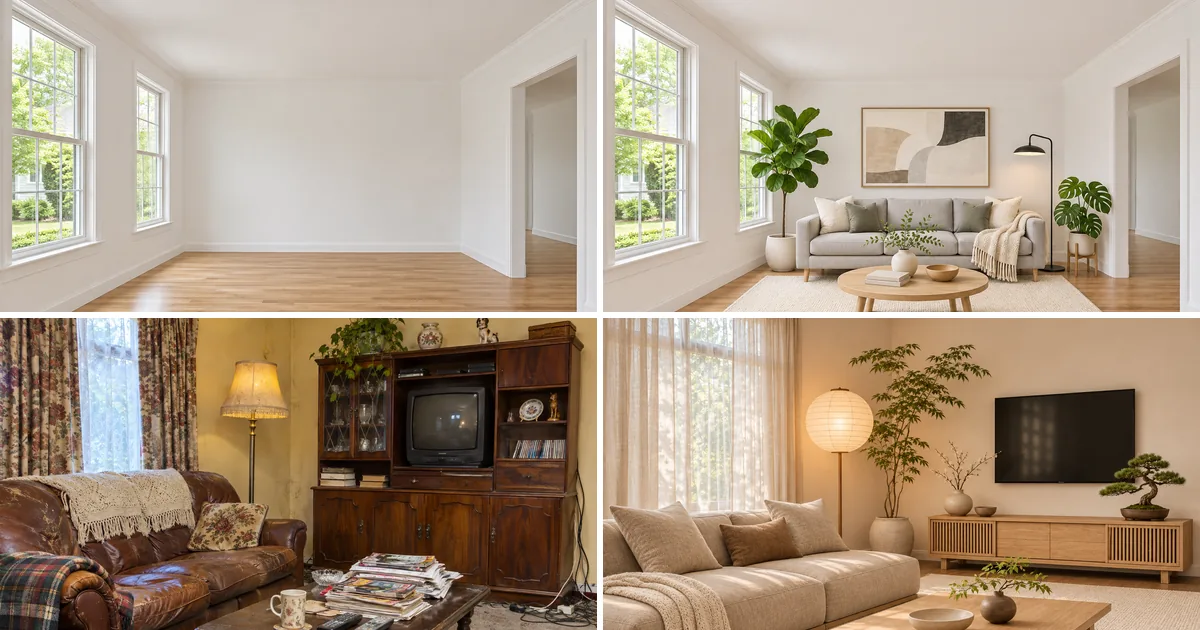
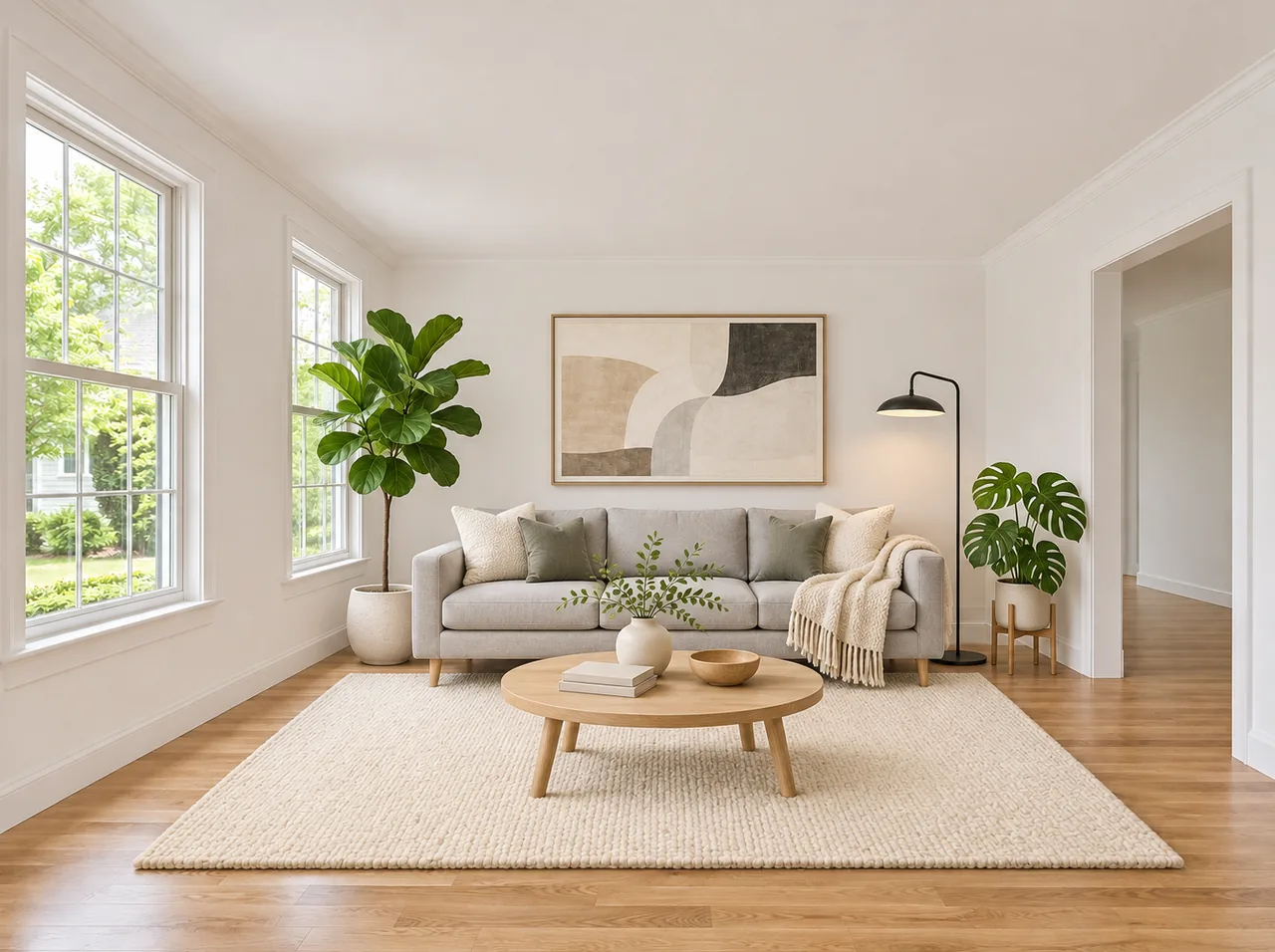
Scandinavian staging
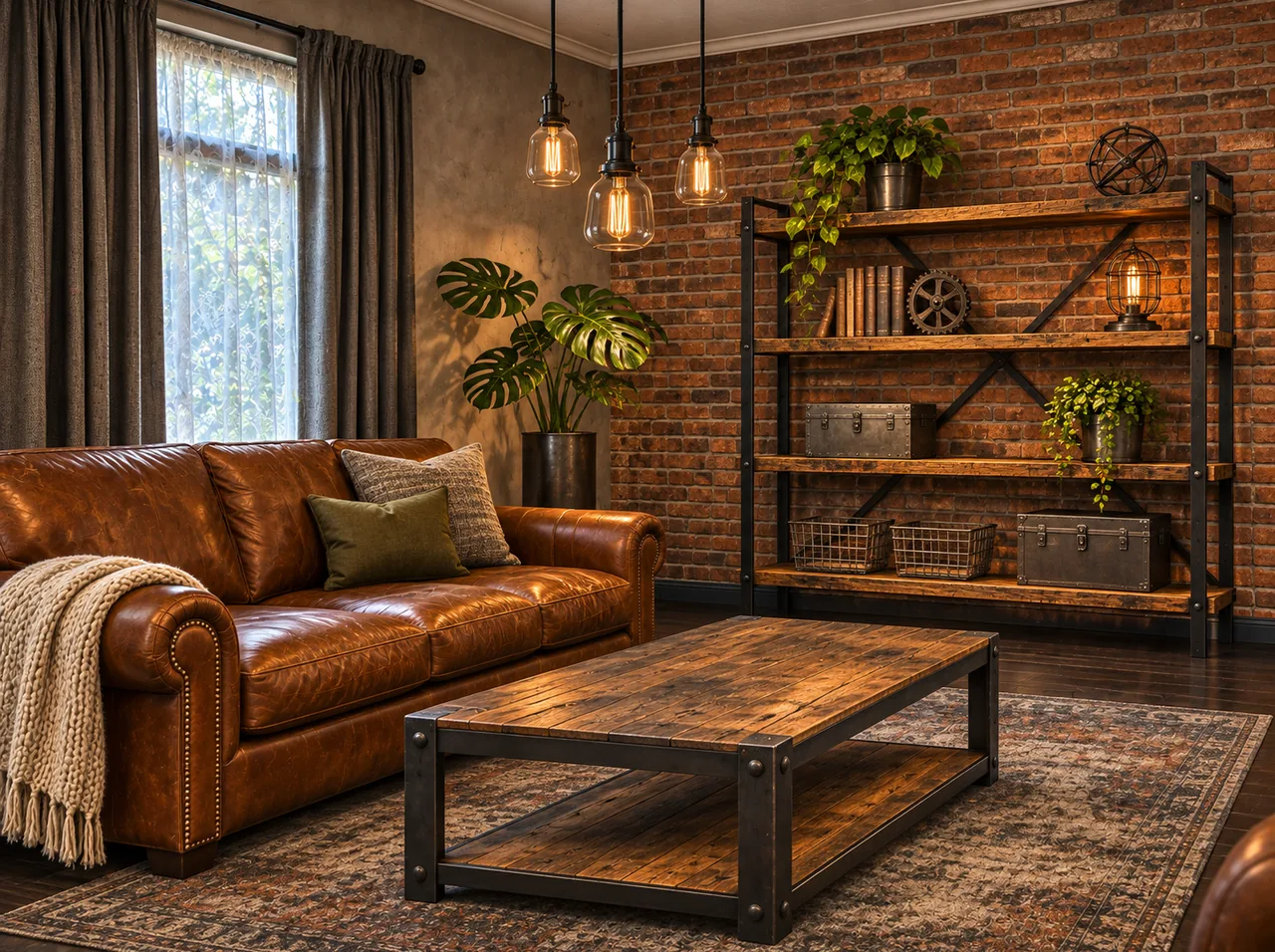
Industrial
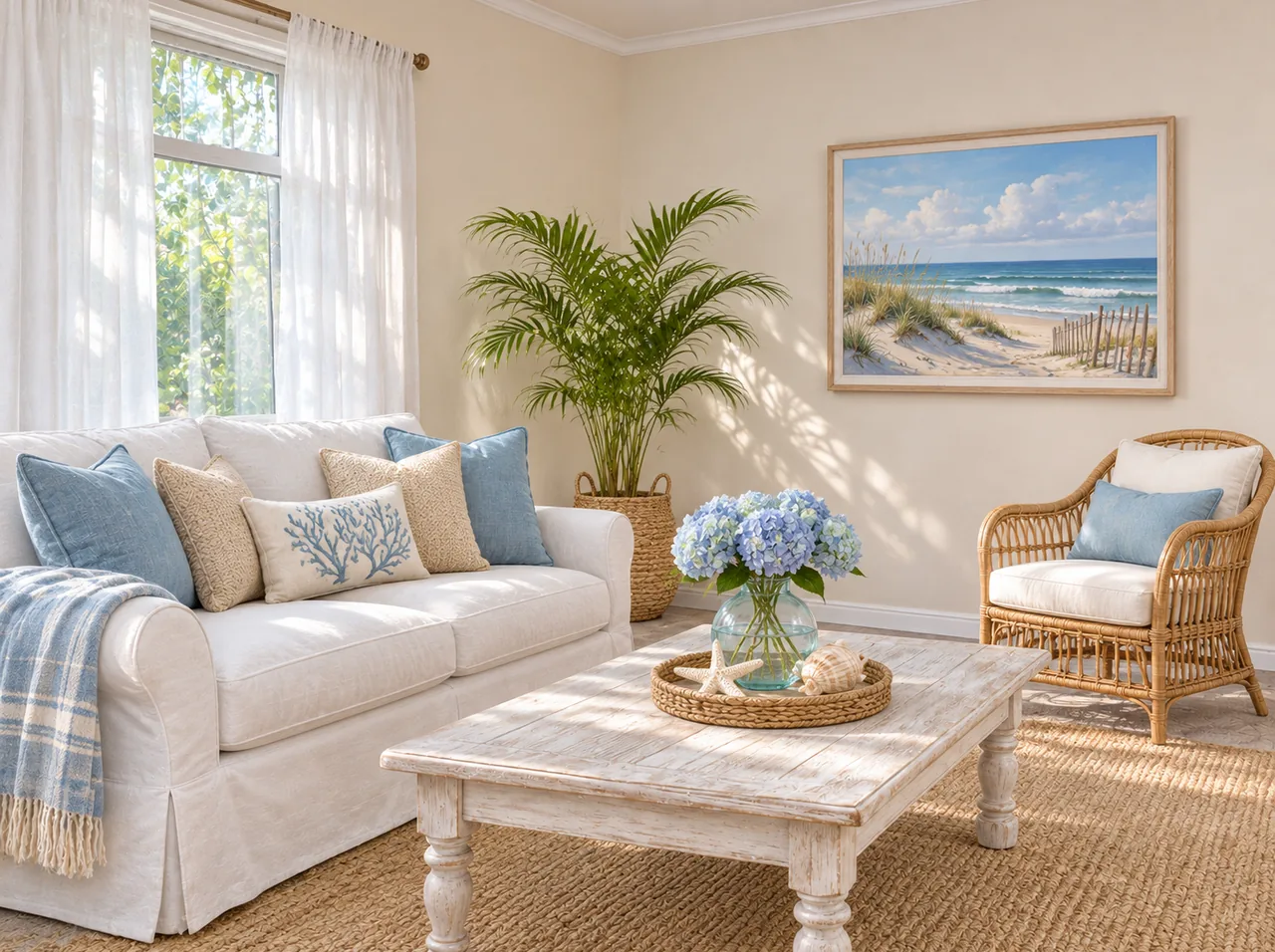
Coastal
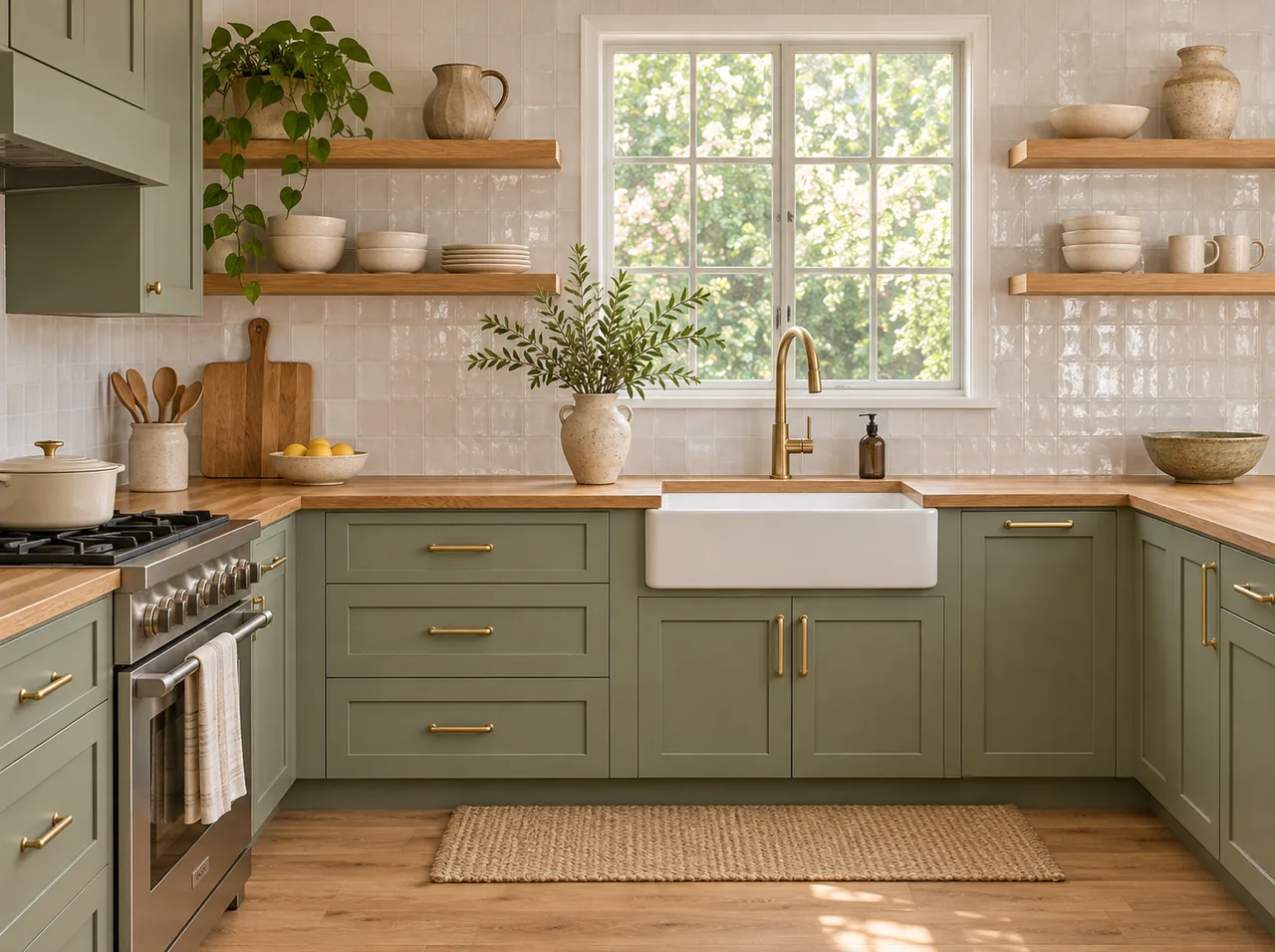
Warm wood kitchen
Short answer: AI interior design here means restyling a real room from a photo of it, not a floor plan. Upload the room at the top of this page, add an inspiration image in the second slot if you have one, and press one of 10 chips: two virtual staging looks (Staging: modern and Staging: Scandinavian), five decor styles (Japandi, Industrial, Coastal, Mid-century modern and Boho), two kitchen finishes (Kitchen: modern white and Kitchen: warm wood) and Match my inspiration photo. The walls, windows, doors, ceiling and camera position stay where they are; furniture, finishes and decor change. Each room design is a 2K landscape image made in about a minute for 6 credits.
How to redesign a room with AI
- 1
Photograph the room
Stand in a corner and shoot landscape at chest height so two walls and the floor are visible. Lights on, curtains open.
- 2
Upload it, plus inspiration if you like
The first slot is the room. The second, optional slot takes a picture of a room you love, from a magazine or a saved pin.
- 3
Pick a style
Staging chips furnish an empty room; style chips restyle a furnished one; kitchen chips change cabinets and counters; Match my inspiration photo copies the mood of your second photo.
- 4
Generate and compare
6 credits per render. Try two or three styles on the same photo and lay them next to each other.
AI interior design features
Try a related prompt
The empty living room staged in Scandinavian style (AI-generated)
Virtual staging for empty rooms
Staging: modern and Staging: Scandinavian furnish a bare room with a sofa, rug, table, lamps and art at a believable scale: the job a staging company does for a listing, from the agent’s own photo.
Try a related prompt
The cluttered living room redesigned as an industrial loft (AI-generated)
Industrial lofts
Industrial brings black metal, leather, reclaimed wood and exposed bulbs, while your real walls and windows stay where they are.
Try a related prompt
The cluttered living room redesigned in coastal style (AI-generated)
Coastal, Japandi, boho and mid-century
Coastal goes light and airy, Japandi calm and low, Boho layered with plants and textiles, Mid-century modern warm walnut and tapered legs.
Try a related prompt
The old kitchen remodeled with oak and sage green cabinets (AI-generated)
Kitchen remodel previews
Kitchen: modern white and Kitchen: warm wood change cabinet fronts, counters, backsplash and hardware on the existing layout, so you can see a finish before getting quotes.
Match an inspiration photo
Match my inspiration photo reads the palette, materials and furniture style of the second upload and applies them to your room, without copying that room’s walls.
Architecture kept as shot
Every chip carries an instruction to keep walls, windows, doors, ceiling and the camera angle as they are. That is what makes the before and after comparable.
AI Interior Design at a glance
| Model | Made by | Sizes | Reference images | Credits per image |
|---|---|---|---|---|
| Nano Banana 2.1 | 1K, 2K, 4K | Up to 14 | 4 to 9 |
 Nano Banana 2.1
Who uses AI interior design, and how
Real estate listings
Empty rooms photograph cold. Chips: Staging: modern or Staging: Scandinavian on the listing photos, labeled as virtually staged.
Airbnb and rental hosts
Plan a refresh that photographs well before buying furniture. Chip: Coastal or Japandi.
Planning a kitchen remodel
See white against wood on your own layout. Chips: Kitchen: modern white and Kitchen: warm wood.
Finding your style
Not sure what you like? Tip: run all five decor chips on the same living room and see which you keep coming back to.
Turning a saved pin into a plan
Chip: Match my inspiration photo, with the pin in the second slot and your room in the first.
Designers pitching a concept
A quick mood image on the client’s real room before any drawing. Tip: shoot from where the client usually stands.
How to photograph a room for AI redesign
- Landscape, from a corner, at chest height. Two walls and the floor give the tool depth.
- Wide but not fisheye. The phone’s 0.5x lens bends walls; 1x from the doorway is safer.
- Bright and even. Turn on the lights and open the blinds; dark corners get invented furniture.
- Clear the clutter you do not want redesigned. Laundry and boxes may be read as part of the room.
- Kitchens: shoot the cabinet run straight on so doors and counters are visible.
Virtual staging rules for listings
Most listing services and agents label virtually staged photos as such, and many show the empty photo too. The staged image must not hide defects, add windows or change the view. This tool keeps the architecture, but you are responsible for how the photo is presented to buyers.
Check your local listing service rules before publishing staged images.
Limits worth knowing
It does not produce floor plans, measurements or a shopping list. Furniture is designed to look right, not picked from a catalog.
It keeps the room’s structure, so it cannot knock down a wall or move a window. For a free-form concept, the AI image generator takes a written description.
Room photos and room designs are kept in your own account and never published in a public gallery.
The ten room chips at a glance
- Staging: modern. Clean modern furniture in neutrals for an empty room. The usual listing choice.
- Staging: Scandinavian. Pale wood, white walls, soft textiles for an empty room.
- Japandi. Low furniture, natural materials, a muted palette.
- Industrial. Metal, leather, raw wood, visible bulbs.
- Coastal. White, sand and pale blue, linen and rattan.
- Mid-century modern. Walnut, tapered legs, a few strong colors.
- Boho. Layered rugs, plants, macrame and warm tones.
- Kitchen: modern white. Flat white cabinets, light stone counters.
- Kitchen: warm wood. Wood cabinet fronts with warm hardware.
- Match my inspiration photo. Copies the mood of your second upload.
Staging an empty listing, room by room
Buyers scroll fast, and empty rooms read smaller than they are. Staged photos show scale: where a bed fits, how big the living room is with a sofa in it.
- Living room: shoot from the entrance toward the windows.
- Bedroom: stand in the doorway so the wall for the bed is in view.
- Dining area: include the light fitting, which anchors the table.
- Home office: show the window; the desk will face it.
At 6 credits a room, a six-room listing costs a fraction of physical staging, and you can restyle it if the first look does not sell.
Using an inspiration photo well
Match my inspiration photo takes the color palette, materials and furniture style from your second photo. It does not copy that room’s layout, windows or view, because your own room’s structure always wins.
The closer the two rooms are in type, the better the match. A living room inspired by another living room works better than a living room inspired by a hotel lobby. Bright, uncluttered inspiration photos transfer more clearly than dim, busy ones.
When a redesign does not look right
- Furniture at the wrong scale: the photo was taken with the 0.5x lens. Reshoot at 1x from further back.
- A window or door moved: this is rare; press again and keep the render where the structure matches.
- Dark, flat result: the original was shot at night. Daylight gives the tool real shadows to follow.
- Clutter kept: remove it before shooting, or the tool may style around it.
- Style too strong or too weak: try a neighbouring chip. Japandi is calmer than Boho; Staging: Scandinavian is lighter than Staging: modern.
Each retry is a new 6 credit render on the same upload.
FAQ
What is AI interior design?
Software that takes a photo of a real room and shows it in a new style, furnished or remodeled, from the same camera angle.
Is there a free AI interior design tool?
There is no free version of the room tool: it works from your photos on a paid model. Genvima's free Basic engine (one free video and three free images a day) makes clips and pictures from a written prompt only, so it cannot use your photos. One room design costs 6 credits from a plan or a pack, shown on the button before you start.
Do I need to download an app?
No. It runs in the browser, which suits shooting on a phone and uploading straight away. A Google sign-in is asked for at the first Generate.
Can AI stage an empty room for a listing?
Yes. Staging: modern and Staging: Scandinavian furnish a bare room while keeping walls, windows and floors.
Will it change my walls or windows?
No. Every style keeps the architecture and the camera angle as photographed.
Can it redesign a kitchen?
Yes, the finishes. Kitchen: modern white and Kitchen: warm wood change cabinets, counters and backsplash on your current layout.
Can I use my own inspiration photo?
Yes. Upload it in the second slot and press Match my inspiration photo.
Does it work for bedrooms, offices or outdoor spaces?
Bedrooms, living rooms, dining rooms and offices all work. Patios work in some styles, but the tool is tuned for interiors.
What if a render fails?
The 6 credits are refunded on their own.
Does it give me a shopping list of the furniture?
No. The pieces are designed for the image, not taken from a store catalog. Use the picture as a style reference when you shop.
Do I need design skills or a prompt?
No. Each chip is a finished brief from materials to lighting. You only take the photo and choose a style.
Keep exploring
- AI Product Photo GeneratorOne phone photo of your product, six studio and lifestyle shots of it.Open
- AI Headshot GeneratorA casual selfie turned into a chest-up studio portrait, your own face kept.Open
- Seedream 5.5ByteDance’s newest image model: realistic light, legible small text, and edits that hold up over many rounds.Open
- GPT Image 2.6OpenAI’s newest image model, Sunburst and Flare: exact text, strict layouts and long briefs.Open
- AI Image GeneratorText to image and image to image on 15 image models.Open
- PricingPlans and credit packs. One balance pays for every video and image model.Open