AI Outfit Generator
Change what you are wearing in a photo while your face, your build, your pose and the room behind you stay put.
Upload a photo of you
Add the clothes to try onoptional
Pick an outfit
You sign in with Google when you press Generate; your photo and style are kept.
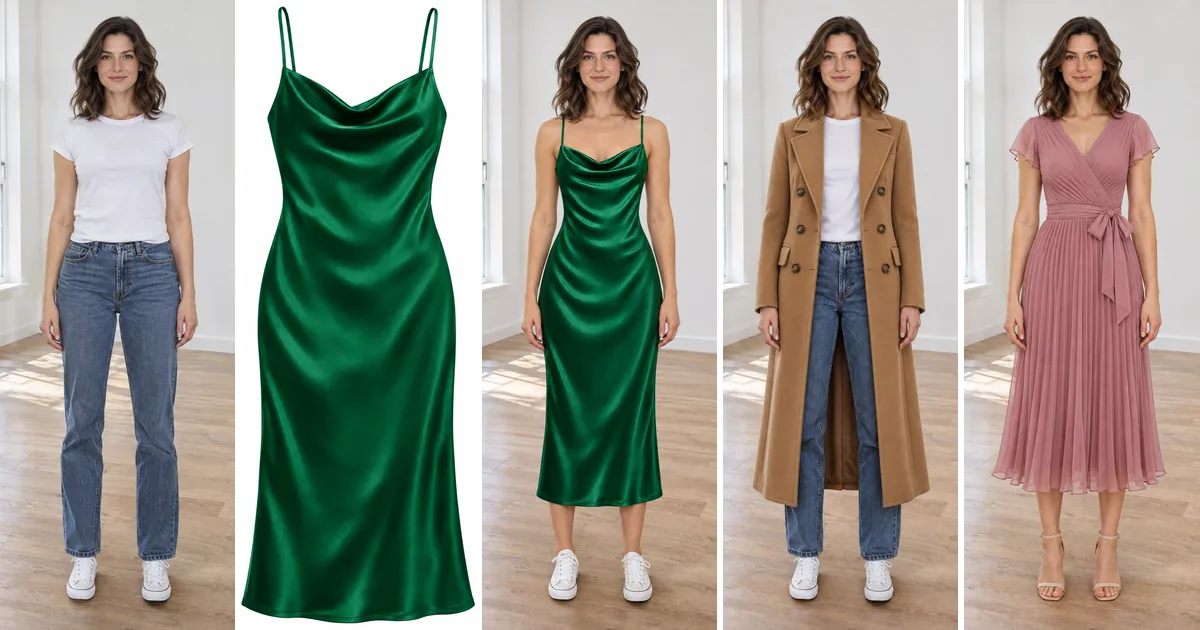
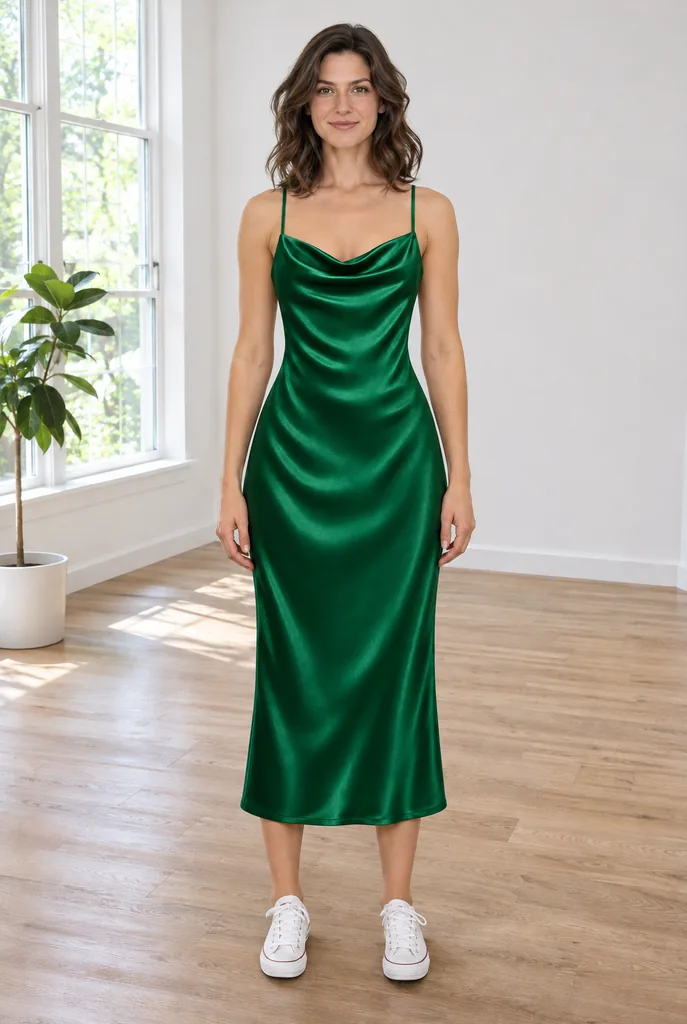
Green satin dress
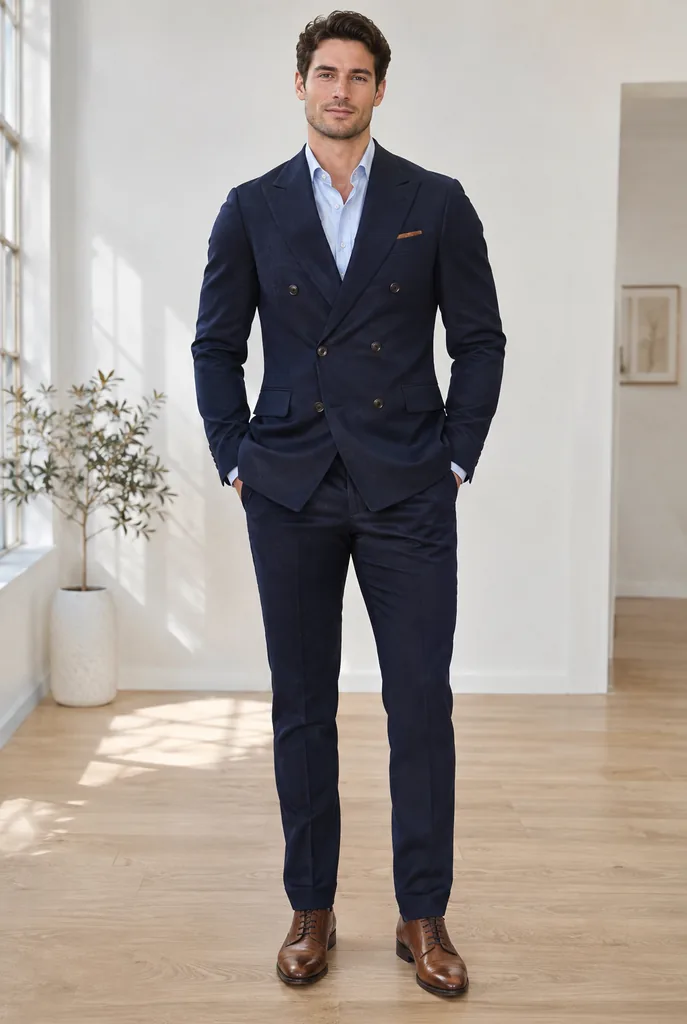
Navy suit
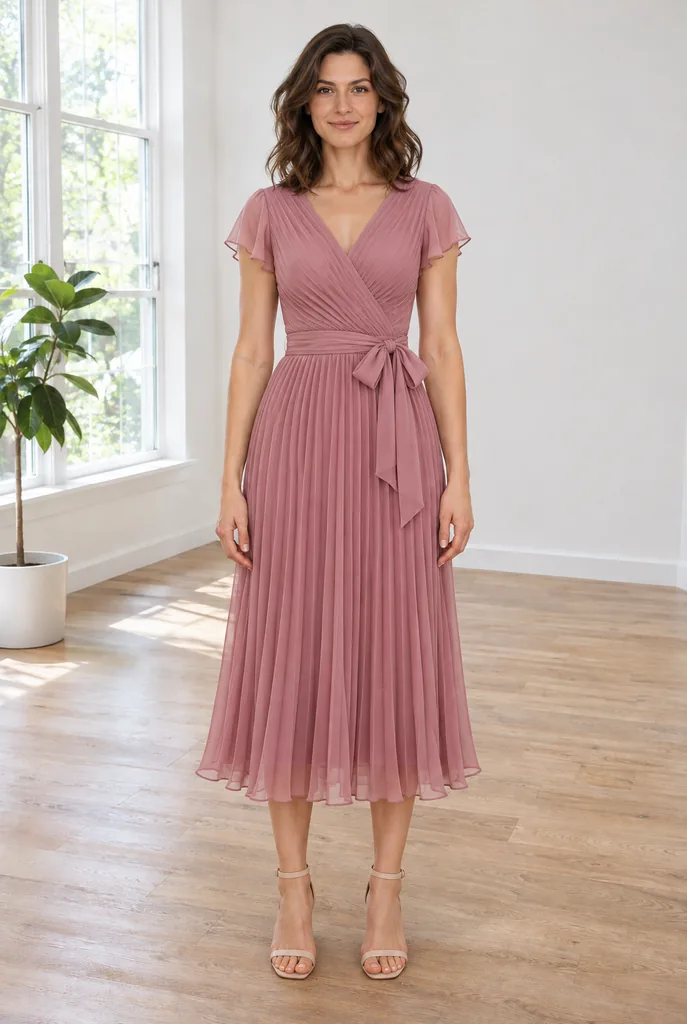
Wedding guest
Streetwear
Short answer: An AI outfit generator redresses the person in a photo. Genvima’s has two slots at the top of this page: a full-body photo of you, and an optional photo of a garment you want to try. Press Try on my clothes photo to wear that garment, or one of the ready looks (Business suit, Smart casual, Streetwear, Wedding guest dress, Summer linen, Winter coat and Athleisure) if you only have the first photo. The tool changes clothing and shoes and leaves your face, body shape, pose and background alone. Each try-on is a 2K portrait frame that takes about a minute and 6 credits.
How to try on outfits with AI
Two photos at most, one chip, one press.
- 1
Upload a full-body photo of yourself
Stand straight, arms a little away from your body, head to feet in frame, in fitted clothes. A mirror selfie is fine if the phone does not hide your face.
- 2
Add the clothes, if you have them
The second slot takes a shop photo, a flat lay or a screenshot of a garment. Leave it empty to use a ready look instead.
- 3
Pick a chip
Try on my clothes photo reads the second photo. Every other chip describes a complete outfit of its own, so it ignores the second slot.
- 4
Generate and compare
6 credits per press, shown on the button. Try a few looks on the same upload and keep the ones you like in Assets.
What the AI outfit generator can do
Try a related prompt
A woman wearing an emerald green satin midi dress (AI-generated person)
Try on a garment from any photo
Try on my clothes photo takes the clothes in the second upload, whether a product shot or a friend’s photo, and fits them to your body and pose with the fabric, color and pattern kept.
Try a related prompt
A man wearing a navy double-breasted suit (AI-generated person)
Suits and smart casual
Business suit puts you in a tailored two-piece; Smart casual in chinos or trousers with a knit or an open shirt. Handy before an interview or a first day.
Try a related prompt
A woman in a dusty rose pleated midi dress (AI-generated person)
Event outfits
Wedding guest dress shows a dressy guest look, so you can see the color against your skin before buying or renting.
Try a related prompt
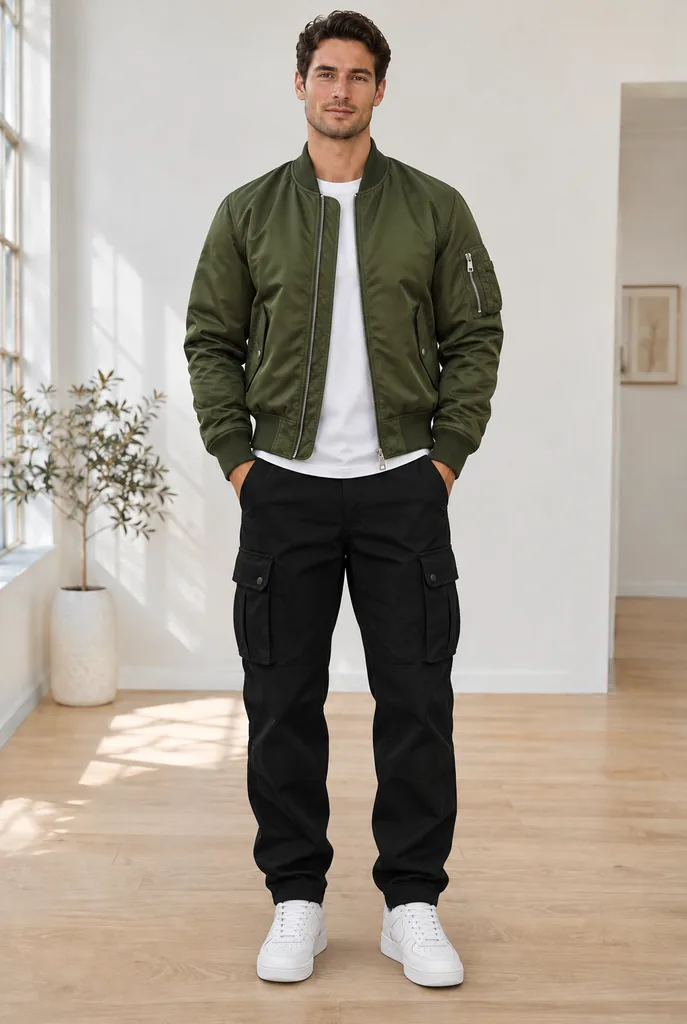
A man in an olive bomber jacket and cargo pants (AI-generated person)
Streetwear and athleisure
Streetwear brings an oversized hoodie, wide trousers and sneakers; Athleisure a matching set for the gym or a lazy Sunday.
Seasonal wardrobes
Summer linen dresses you in light linen; Winter coat in a long wool coat and scarf. Same photo, opposite weather.
You stay recognisably you
Face, hair, body shape and the pose are carried over, and so is the background. Only clothing and shoes change, which is what makes the result useful for judging fit and color.
AI Outfit Generator at a glance
| Model | Made by | Sizes | Reference images | Credits per image |
|---|---|---|---|---|
| Nano Banana 2.1 | 1K, 2K, 4K | Up to 14 | 4 to 9 |
 Nano Banana 2.1
Ways people use AI try-ons
Before buying clothes online
Screenshot the item, put it in the second slot and see it on your body first. Chip: Try on my clothes photo.
Planning what to wear to an event
Weddings, galas, graduations. Chip: Wedding guest dress, or your own dress photo with Try on my clothes photo.
Interview and work outfits
See whether a suit or a softer look fits the company. Chips: Business suit and Smart casual on the same photo, side by side.
Packing for a trip
A beach week and a ski weekend, from one photo. Chips: Summer linen and Winter coat.
Styling content for social media
Show five looks without five changes of clothes. Tip: use one clean photo against a plain wall so the outfits are the only difference.
Clothing sellers
Show a garment on a real body shape. Tip: for the garment alone on a hired-look AI model, the AI product photo generator is quicker.
The best photo for a virtual try-on
- Head to feet. A photo cut at the waist can only be redressed down to the waist.
- Standing, facing the camera. Crossed arms or a bag across the body confuse where clothes go.
- Fitted clothes. A puffy jacket hides your shape, and the new outfit follows the old outline.
- Plain background. It stays in the result, so a tidy one makes the outfit easier to judge.
- For the clothes photo: one garment, fully visible, front view, in even light. A model wearing it is fine.
How accurate is an AI try-on?
Color, pattern, length and overall cut come through well. It is a picture, not a fit test: it cannot know a size chart or how stiff a fabric is, so a slim cut can look looser on screen than in the fitting room.
Logos and small print on a garment can soften. Busy patterns such as fine stripes may shift slightly. Treat the result as a strong preview of how a look suits you, then check sizing on the shop page.
Who you can dress
Use photos of yourself or an adult who agreed to it. The model declines photos of children and recognisable public figures, and declined requests cost nothing. Both your photo and the garment photo stay in your own account, and finished try-ons never go into a public gallery.
To change your hair rather than your clothes, the AI hairstyle changer works on the same kind of photo.
The eight outfit chips
- Try on my clothes photo. Reads the garment in your second photo and puts it on you. The only chip that uses the second slot.
- Business suit. A tailored two-piece with shirt and shoes to match.
- Smart casual. Trousers or chinos with a knit, a polo or a blouse. Offices that are not formal.
- Streetwear. Oversized layers, wide trousers, sneakers.
- Wedding guest dress. A dressy guest look suitable for a daytime or evening ceremony.
- Summer linen. Light linen in pale colors.
- Winter coat. A long wool coat, scarf and boots.
- Athleisure. A matching sporty set with trainers.
Building a full look in two passes
One garment per render keeps the fit believable. For a complete outfit from different shops, chain the renders.
- First pass: your photo plus the top, with the try-on chip.
- Second pass: download that result, upload it as your photo, and add the trousers or skirt.
- Third pass, if needed: shoes or a coat the same way.
Each pass is 6 credits and keeps what the previous one added, because the tool only replaces the clothing you ask it to.
Garment photos that try on well
The model reads fabric, color, print and shape from the second picture, so that picture matters as much as yours.
- Shop photos on a model work very well: the garment is already shaped like a body.
- Flat lays work if the whole piece is visible, sleeves and hem included.
- Hanger shots are fine; avoid ones where the garment is folded or half hidden.
- Screenshots from a shop app are fine. Crop out prices and buttons.
- Sheer, sequined or heavily embellished pieces are the hardest; expect to render twice.
When the try-on misses
A few patterns account for most off results, and each has a quick fix.
- Garment drawn too loose or too tight: your photo shows baggy clothes. Retake it in something fitted.
- Pattern slightly changed: fine stripes and small prints are hardest. Press again and keep the closer one.
- Hands or bag merged into the clothes: keep arms slightly away from your sides and put the bag down.
- Shoes unchanged: the photo was cropped above the feet, or the feet were in shadow.
- Color a little off: the garment photo was taken in warm indoor light. Use the shop’s own photo when you can. Every retry is 6 credits, and a render that fails outright is refunded.
FAQ
What is an AI outfit generator?
A tool that changes the clothes in a photo of a person and keeps everything else. You see a new outfit on your own body, in your own pose and room.
Can I try on clothes from a photo I found online?
Yes. Put the garment photo in the second slot and press Try on my clothes photo. A clear front view of a single garment works best.
Is the AI outfit generator free?
No. There is no free version of the outfit tool: it works from your photos on a paid model. Genvima's free Basic engine (one free video and three free images a day) makes clips and pictures from a written prompt only, so it cannot use your photos. Each try-on costs 6 credits from a plan or a pack, and the price shows on the button before you press it.
Do I need to sign up or install an app?
It runs in the browser with nothing to install. A Google sign-in is asked for at your first Generate, and your photos are kept while you sign in.
Will my face and body change?
They should not. The tool is set to keep your face, body shape, pose and background, and to change only clothing and shoes.
Does it work for men?
Yes. Business suit, Smart casual and Streetwear and the seasonal looks suit anyone, and the garment you upload decides the rest.
Can I try on several items at once?
One garment photo per render works most reliably. For a full outfit, render the top, then upload that result and add the trousers.
Can it tell me my size?
No. It shows how the style and color look on you, not how a specific size fits. Use the shop’s size chart for that.
What if the render fails or is refused?
The 6 credits are returned automatically.
Can I change the background too?
No, the background is kept on purpose so the outfit is the only change. For a new setting around a product, use the AI product photo generator instead.
Is my body changed to fit the clothes?
No. The clothes are fitted to your body as photographed. Your build, height and proportions stay the same.
Keep exploring
- AI Hairstyle ChangerTry a bob, a fade, braids or platinum blonde on your own photo before the salon.Open
- AI Headshot GeneratorA casual selfie turned into a chest-up studio portrait, your own face kept.Open
- AI Product Photo GeneratorOne phone photo of your product, six studio and lifestyle shots of it.Open
- GPT Image 2.6OpenAI’s newest image model, Sunburst and Flare: exact text, strict layouts and long briefs.Open
- AI Image GeneratorText to image and image to image on 15 image models.Open
- PricingPlans and credit packs. One balance pays for every video and image model.Open