AI Product Photo Generator
Pick a shot, press Generate, and the shape, the color, the material and the label come back untouched.
Upload a product photo
Pick a shot
You sign in with Google when you press Generate; your photo and style are kept.
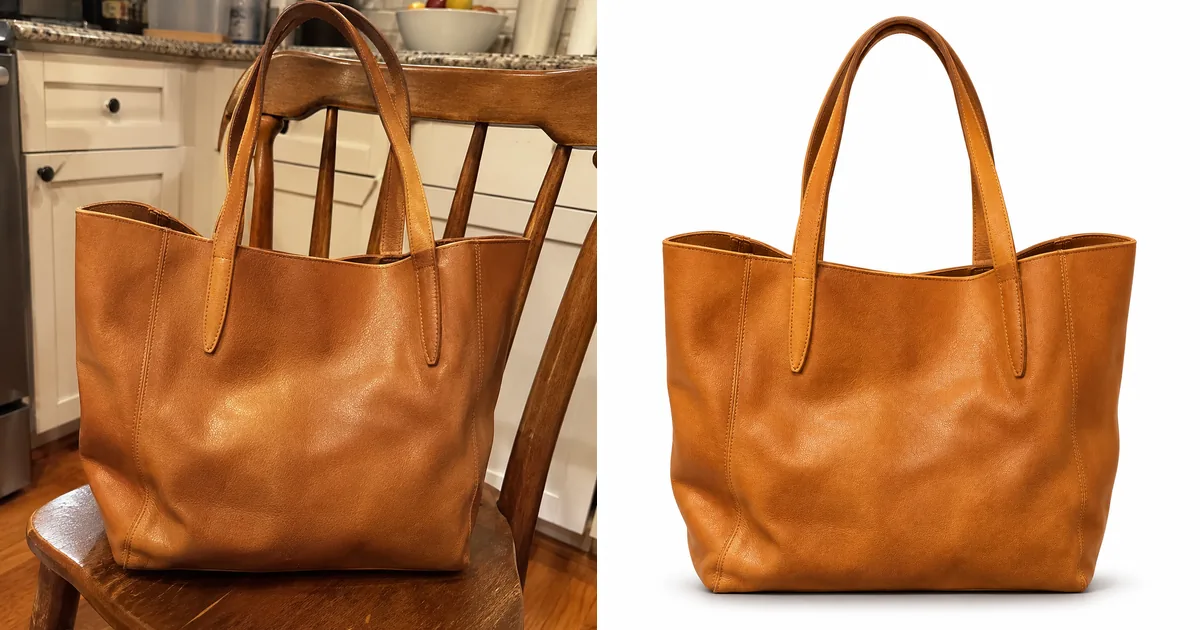
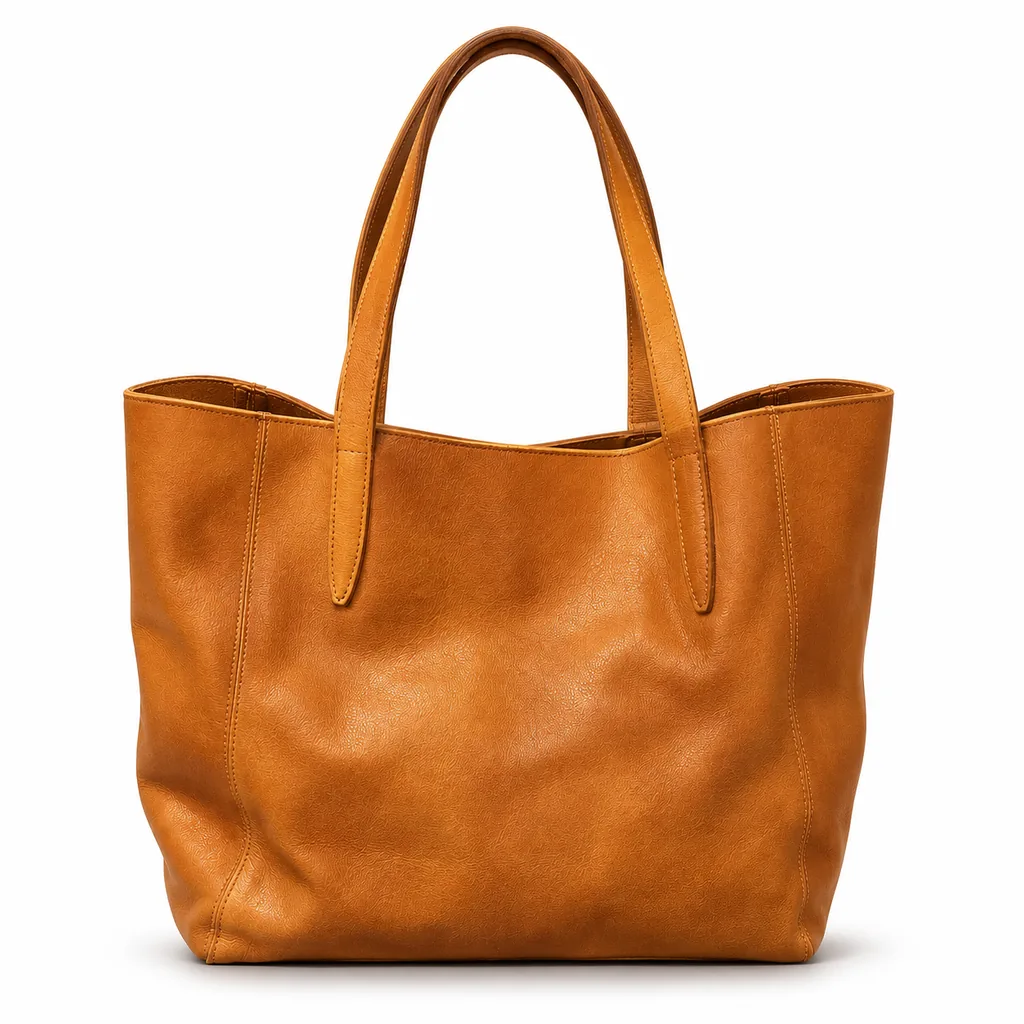
White background
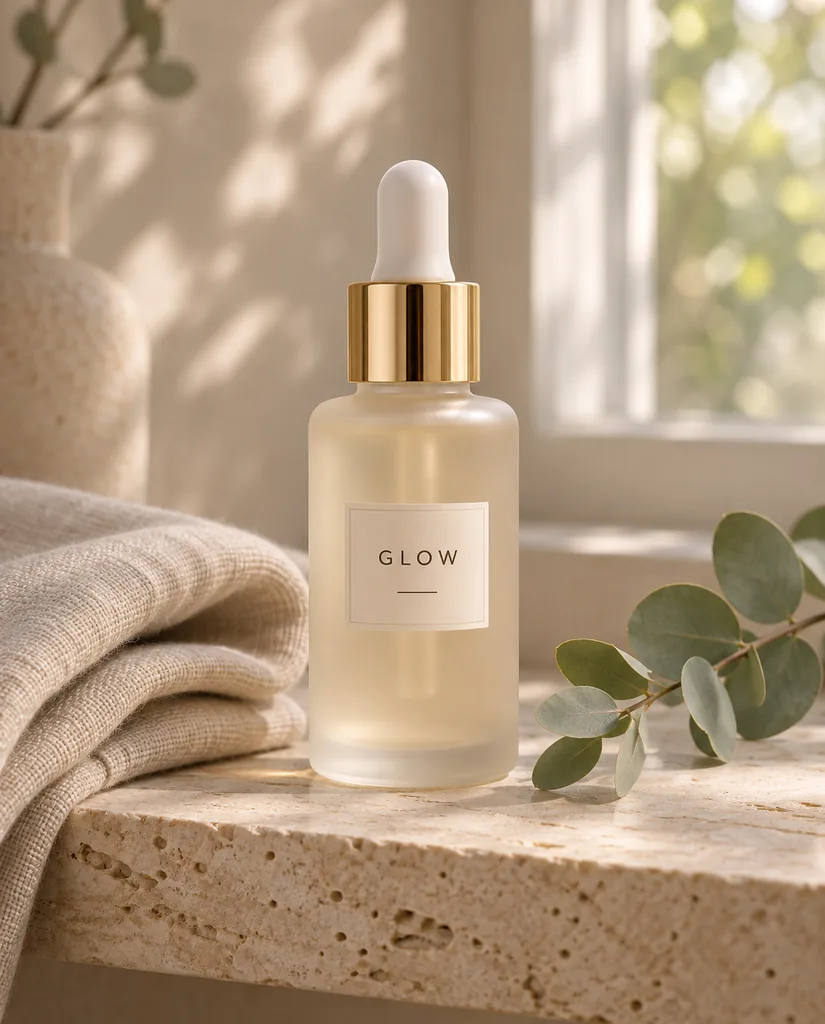
Lifestyle scene
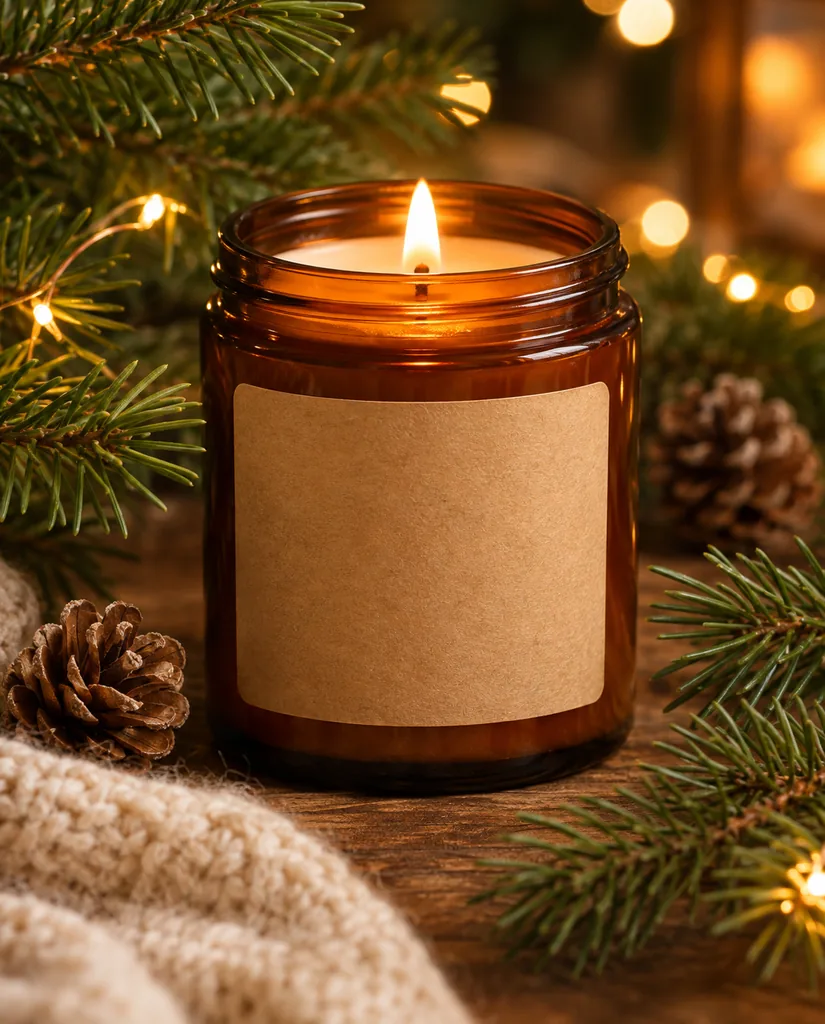
Holiday
On a model
Short answer: An AI product photo generator rebuilds the scene around a real product while leaving the product itself alone. Genvima’s runs at the top of this page: drop in one photo of the item, press one of the 6 shot chips (White background, Lifestyle scene, Outdoor, Holiday, Summer and On a model) and press Generate. You write nothing, because each chip already carries a photographer’s brief plus a line that locks the label and the shape. A finished product photo arrives at 2K in a square frame, usually within a minute, and costs 6 credits. It works in the browser on a phone or a laptop; the first Generate asks for a Google sign-in and keeps your photo and your chosen shot while you sign in.
How to make product photos with AI
Four steps, all on this page. Nothing to install and no prompt to write.
- 1
Photograph the item once
Any phone camera will do. Fill most of the frame with the whole product, keep the label in focus and shoot in daylight. Wipe off dust first: the render keeps what it sees.
- 2
Upload it and pick a shot
Drop the photo into the slot. White background gives the marketplace main image; the other chips stage the item in a scene, a season or a person’s hands.
- 3
Generate
The button shows 6 credits before anything runs. On your first press you sign in with Google and the render starts as soon as you are back.
- 4
Download and repeat
Save the file from this page or later from Assets. Press another chip on the same upload for the next look; each one is a new render at the same price.
AI product photography features
Each chip is a ready-made product shoot. These are the results it is built to give, with our own examples where we have one.
Try a related prompt
A tan leather tote bag on a pure white background
White background listing images
White background centers the item on a seamless white sweep with a soft contact shadow and fills most of the frame. That is the main-image format Amazon, Etsy and Shopify themes expect, made from a photo taken on a kitchen chair.
Try a related prompt
A serum bottle on a travertine shelf in morning light
Lifestyle scenes with real light
Lifestyle scene sets the product on stone or pale wood with a few props and low window light. It is the shot for a product page’s second image or a social post where the item should look owned, not catalogued.
Try a related prompt
A candle lit among pine branches and fairy lights
Seasonal sets without a reshoot
Holiday brings pine, brass and warm lights; Summer brings white linen, fruit and dappled sun; Outdoor puts it on a sunlit step. One upload covers a year of campaigns.
Try a related prompt
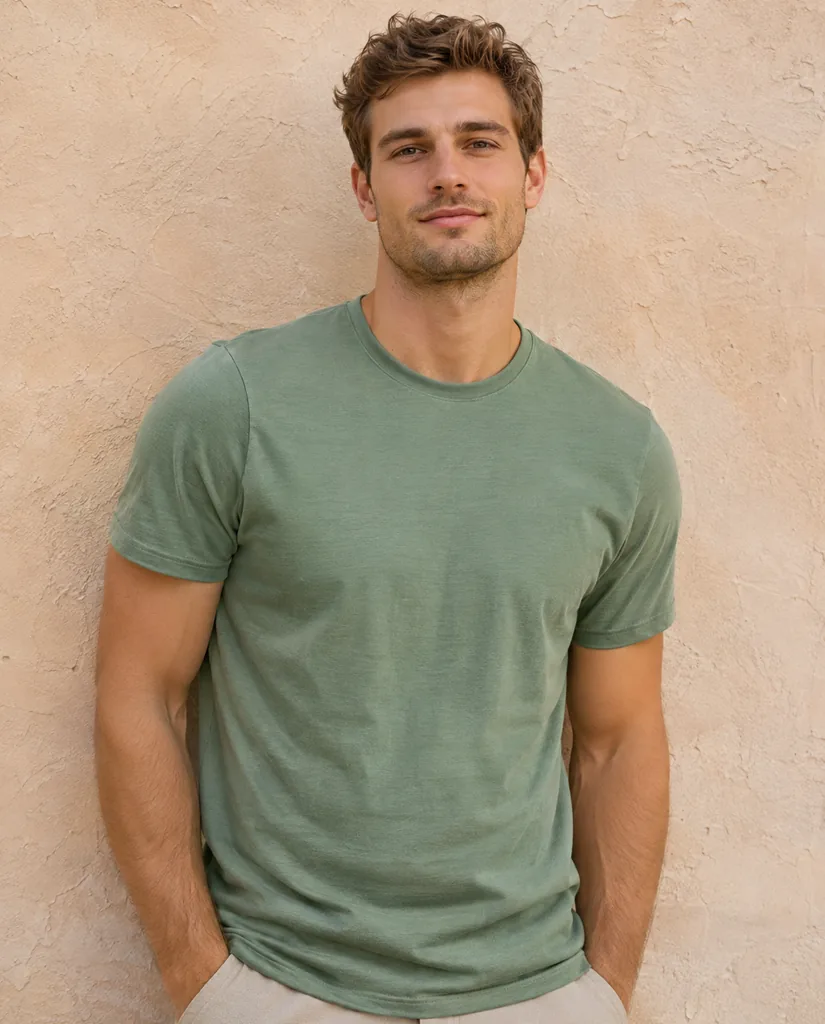
A sage green t-shirt worn by a model against a beige wall
Products on a model
On a model hands a shirt, a bag or a watch to an AI-generated person, waist up against a warm wall. No casting, no model release, and the item keeps its exact color and cut.
Labels and packaging text kept
Every chip is sent with an instruction to keep the shape, colors, materials, labels and any printed text exactly as they are, and to add no logo or wording of its own. Large text survives reliably; read tiny print at full size before you publish.
2K square files
Results are 2K in a 1:1 frame, large enough to zoom on a product page and to crop a wide banner from. There is no watermark drawn on the image.
AI Product Photo Generator at a glance
| Model | Made by | Sizes | Reference images | Credits per image |
|---|---|---|---|---|
| Nano Banana 2.1 | 1K, 2K, 4K | Up to 14 | 4 to 9 |
 Nano Banana 2.1
What sellers use it for
The same upload can serve all of these. Tip under each: which chip to press.
Marketplace main images
Every listing needs a clean cut-out on white. Chip: White background. Shoot the front of the pack straight on so the label reads.
Shopify and Etsy product pages
The second and third images sell the mood. Chips: Lifestyle scene for the hero, Outdoor for anything rugged or sporty.
Holiday and summer campaigns
Swap the season, keep the product. Chips: Holiday in November, Summer in June, from the photo you took once.
Clothing and accessories
A garment on a person sells better than a flat lay. Chip: On a model. For your own body in the clothes, use the AI outfit generator.
Ad creatives and social cards
Ads want empty space for a headline. Chip: Lifestyle scene, then crop wide from the 2K square.
A new brand with no photo budget
Twenty handmade items, two chips each, is a full shop page in an afternoon. Tip: shoot every item against the same table so the set looks consistent.
Which product photo to upload
The render can move a product into any room, but it cannot see a side that is not in your photo.
- The whole item in frame. A cropped cap returns as a guessed cap.
- Label sharp and facing you. Blurred text is the one thing that cannot be fixed afterwards.
- Soft, even daylight. Hard flash adds glare the model then treats as part of the product.
- One product per photo. For a bundle, shoot each piece and render them one by one.
- Clear packaging, glass and chrome reflect the room you shot in. A plain wall behind them helps.
AI product photos vs a studio shoot
A studio day buys exact control: a specific prop, a brand color backdrop, the back of the pack, a macro of the stitching. This tool buys speed and range from a single photo, which is what most small catalogs actually need.
Use the generator for the main image and the lifestyle set of every item, and keep a real shoot for the hero product where a detail must be perfect. Many shops do both.
What it will not do
It renders one image per press, not a batch of your catalog.
It never adds text, a logo, a badge or a claim that is not on the item already. That keeps listings within marketplace rules.
It cannot invent the back, the bottom or the inside of a product. Upload that side if you need it.
An AI-generated scene must still match what the buyer receives. Props in the picture are decoration, not part of the sale; say so in the listing if it matters.
Your product photos stay private
Uploads and finished product photos live in your own account and never appear in a public gallery here. The upload goes to the provider that runs Nano Banana 2.1, Google’s image model released on October 6, 2026, only to make your render. Google’s models also embed SynthID, an invisible mark that identifies the file as AI-made without changing how it looks.
Prefer to write your own scene? The same model takes free-form prompts in the AI image generator, and Seedream 5.5 is a second option for stylized product art.
Every shot chip, and when to press it
- White background. Seamless white, centered, a soft shadow under the item. Press it first for every product: it is the image a marketplace search result shows.
- Lifestyle scene. A styled surface with a couple of props and window light. Good for skincare, candles, kitchenware, books and anything sold on how it feels to own.
- Outdoor. Natural daylight on a step, a rock or a garden table. Bottles, bags, outdoor gear and garden goods look at home here.
- Holiday. Evergreen, ribbon, brass and warm bokeh. Gift guides and November ads.
- Summer. White linen, citrus and sun through leaves. Drinks, sunscreen, swimwear, anything bright.
- On a model. The item worn or held by an AI person, waist up. Clothing, jewelry, watches, bags and phone cases.
Not sure which to use? A listing typically needs one white image and two or three scenes. Six chips on one upload is a complete set.
Tips for sharper results
Most weak results trace back to the upload, not the chip. These fixes cost nothing.
- Shoot at 1x, not the wide lens. Wide lenses stretch the edges of a box or a bottle, and that curve is kept.
- Fill the frame. A small product in a big photo loses detail before the render even starts.
- Straighten the label. Turn the item until its front faces the camera squarely.
- Avoid colored walls behind glossy items. A red wall becomes a red reflection on chrome in every scene.
- Press again before changing photos. Two renders of the same chip differ in props and light. If the product looks right in one, keep that one.
What runs under the hood
Each render goes to Nano Banana 2.1, Google’s image model, which is unusually good at keeping a real object identical while redrawing its surroundings. That is why this tool can promise a fixed label and color without any masking or cut-out step on your side.
You never see the model’s instructions, but each chip sends a full shoot brief: surface, props, light direction, frame, and a hard rule against adding text or logos. The result is a 2K square, and each render is billed once, at 6 credits.
FAQ
What is an AI product photo generator?
A tool that keeps your real product exactly as photographed and replaces everything around it: background, surface, props and light. Here each look is one button, so there is no prompt to learn.
Is there a free AI product photo generator?
Some sites offer a few watermarked previews. There is no free version of this tool: it works from your photos on a paid model. Genvima's free Basic engine (one free video and three free images a day) makes clips and pictures from a written prompt only, so it cannot use your photos. Here you sign in with Google and pay with credits from a plan or a pack, 6 credits per product photo, and you see that price on the button before you press it.
Can I use it without an app?
Yes. It runs in the browser on this page, on a phone or a computer. Nothing to download.
Can it put my product on a model?
Yes. On a model shows the item worn or held by an AI-generated person, waist up. The person is not real, so there is no model release to collect.
Will the label and the text on my packaging stay correct?
That is what the tool protects first, and large text comes through. Very small print such as ingredient lists can change, so read it at full size before you publish.
What size are the images?
2K in a 1:1 frame, which suits marketplace main images and leaves room to crop a banner.
Can I use the photos on Amazon, Etsy or in ads?
Yes, the files are yours to use commercially. The picture must still show what you actually ship, so do not let a prop suggest it is included.
How long does one photo take?
Usually under a minute. The result opens on this page and is saved to Assets.
What happens if a render fails?
You get the 6 credits back automatically. A request the model refuses is treated the same way.
Can I upload several products at once?
No. One slot holds one item and one press makes one product photo. Work through a catalog item by item.
Do I need to write a prompt?
No. Each chip already contains the full brief for the shot, so the only inputs are your photo and the button you press.
Keep exploring
- AI Outfit GeneratorSee yourself in a suit, a wedding guest dress or a photo of clothes you found.Open
- AI Interior DesignRestyle or stage a room from one photo, walls and windows kept where they are.Open
- Seedream 5.5ByteDance’s newest image model: realistic light, legible small text, and edits that hold up over many rounds.Open
- GPT Image 2.6OpenAI’s newest image model, Sunburst and Flare: exact text, strict layouts and long briefs.Open
- AI Image GeneratorText to image and image to image on 15 image models.Open
- PricingPlans and credit packs. One balance pays for every video and image model.Open
Try AI Product Photo Generator now
Add your photo and see the price before you generate.
Back to the top