Seedream 5.5 AI Image Generator
ByteDance’s newest image model: more natural light and skin, small text you can read, and a picture that stays itself after many rounds of edits.
Write your idea first. You sign in when you press Generate.
Short answer: Seedream 5.5 is ByteDance’s image generation and editing model, released by its Seed team on November 9, 2026. It makes images from text and changes photos from a written instruction, and ByteDance built it so the parts you do not mention keep their pixels, even across a demo of 100 edits in a row. On Genvima you use it in the browser with no API key: text to image or image to image, 1K and 2K output, 10 aspect ratios and up to 10 reference images. An image costs 3 credits at 1K, 5 credits at 2K, usually ready in under a minute and without a watermark. It is paid with credits; to try an idea first, the free Basic engine in the same menu gives you one free video and three free images a day.
How to use Seedream 5.5 online
Everything happens on this page. You only sign in with Google when you press Generate.
- 1
Pick how to start
Text to Image for a new picture from words. Image to Image to change a photo you already have, or to combine several photos into one.
- 2
Write the picture, or the change
For a new image: subject, setting, light and style. For an edit: the one thing that should change and what must stay the same.
- 3
Choose the shape and the size
10 aspect ratios, from wide banners to tall stories, at 1K and 2K. The Generate button shows the price: 3 credits at 1K, 5 credits at 2K.
- 4
Generate, then go again
The image appears next to the panel and in Assets. Send it back into Image to Image and change the next thing; each round is a new image at the same price.
Seedream 5.5 key features
Under each example is a related prompt to try for your own images.
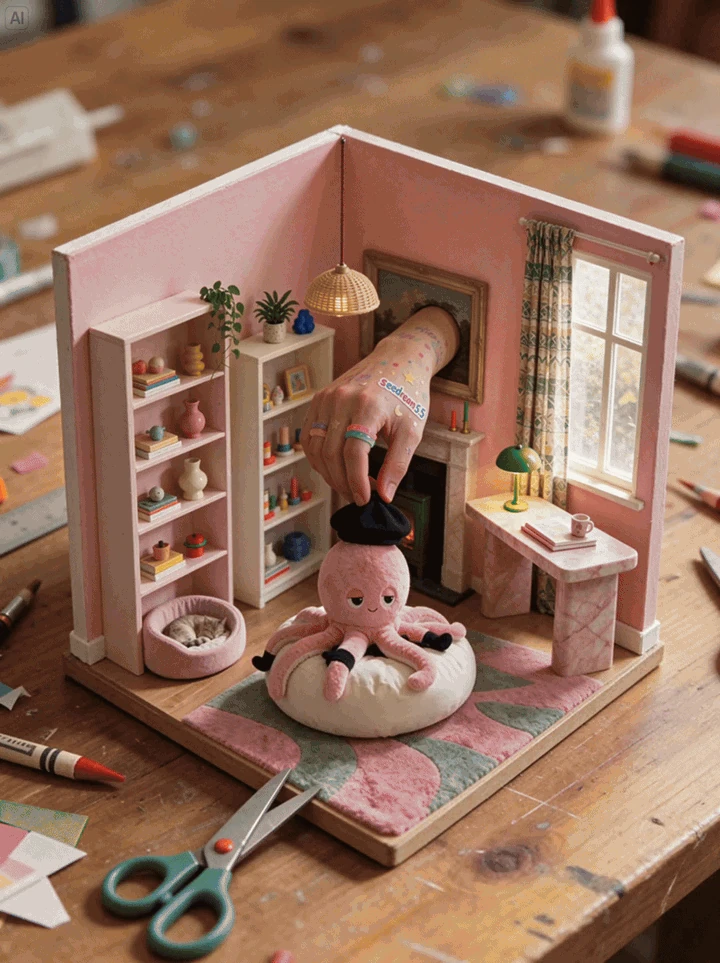
A miniature room after a sequence of furniture and decor edits. Try a related prompt
Round 1: change her jacket to camel wool. Round 2: add small gold hoop earrings. Round 3: replace the background with a rainy Paris street at dusk. Keep her face, hair and pose the same in every round.
Edits that hold up over many rounds
In ByteDance’s demo one picture went through 100 edits in a row, each result feeding the next, without the face blurring or the colors drifting. You can fix the light, then the background, then a detail, and still have the person or product you started with.
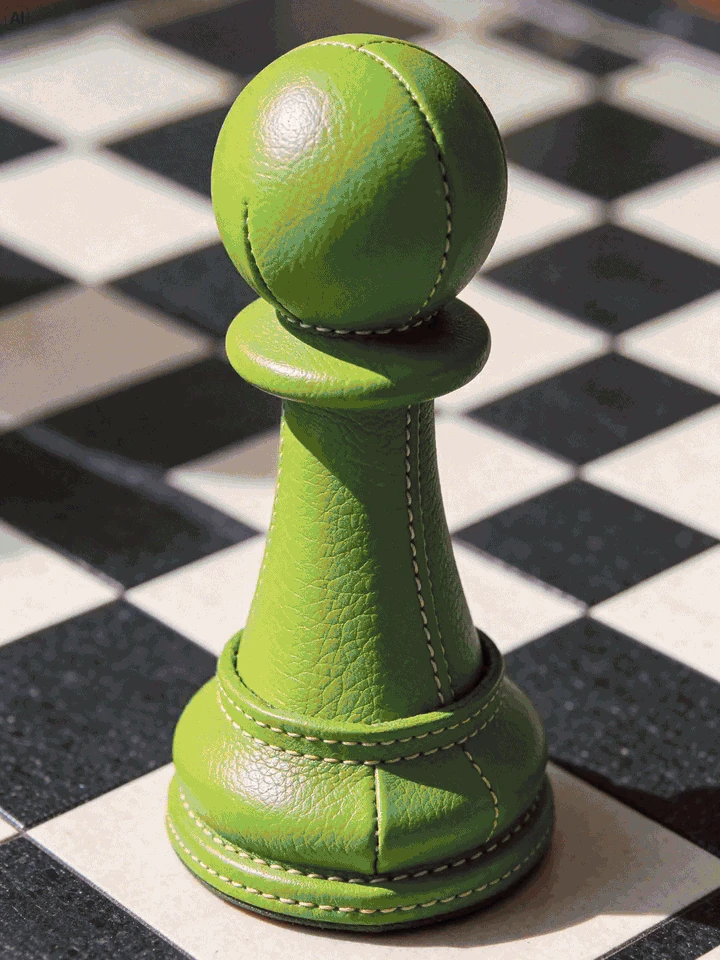
A chess piece with tennis-ball texture from the official editing sequence. Try a related prompt
Replace the coffee mug in her hand with a tall glass of fresh orange juice. Keep her hand, the table, the window light and everything else exactly the same.
Changes only what you name
ByteDance says regions you leave out of the instruction stay intact down to the pixel, with no color shift. Write "replace the mug with a glass of orange juice" and the table, the hands and the window light stay as they were. No masks to paint.

A portrait restyled with a silver bob, pink glasses and a pink coat. Try a related prompt
Add thin round gold glasses to the man, sitting naturally on his nose and partly behind his raised hand, with a small reflection from the window on the lenses.
Small details that fit the scene
Rings, eyeglass frames and earrings are hard to add because they have to sit under fingers, follow the pose and catch the same light. Seedream 5.5 was trained on exactly these, and on rooms where moving a sofa also moves its shadow and keeps the perspective.
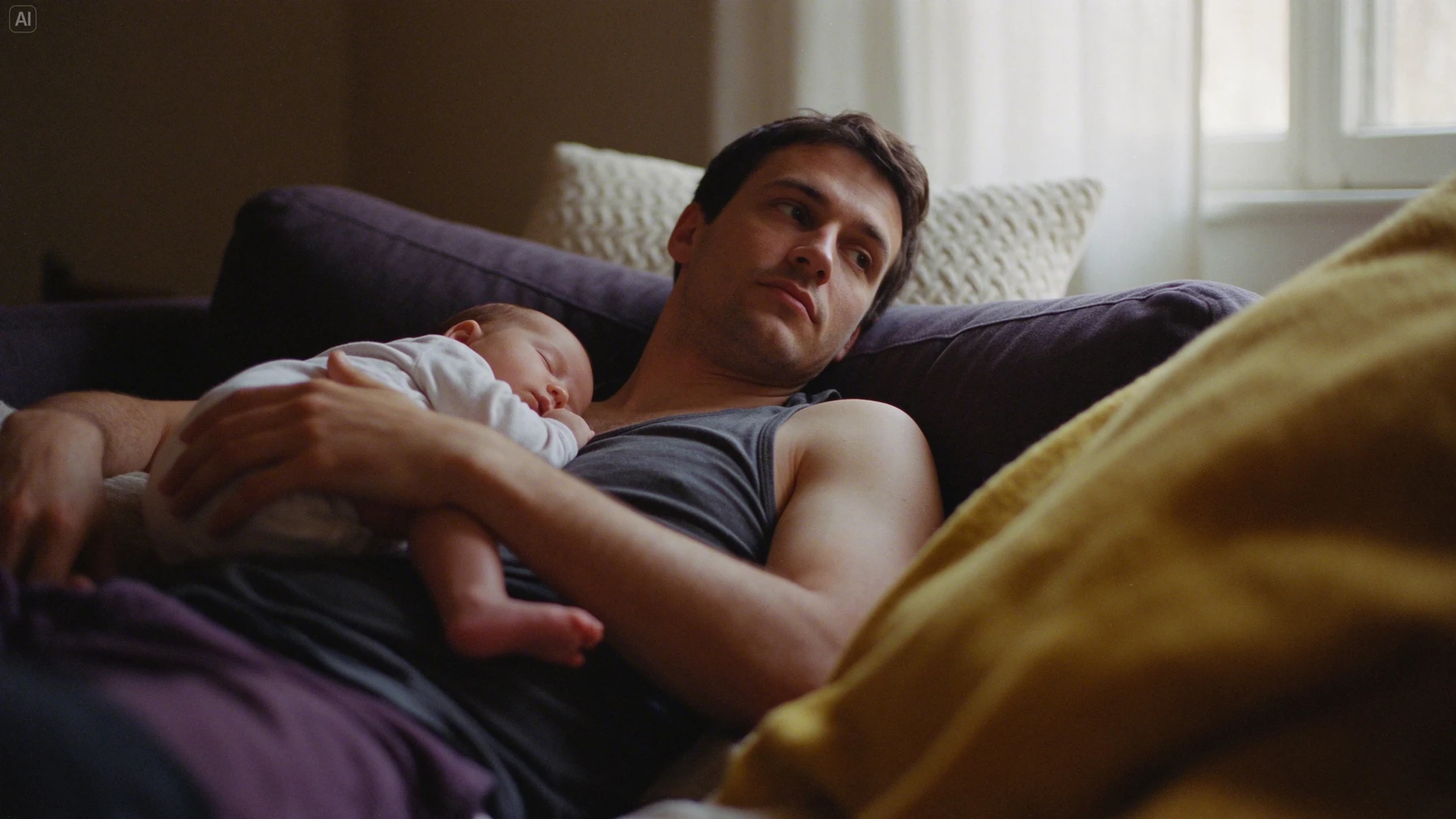
A father holds a sleeping baby in warm window light. Try a related prompt
Candid portrait of an older fisherman mending a net on a harbor wall, overcast morning light, visible skin texture and wool sweater fibers, 85mm photo, natural colors.
More natural light, materials and skin
ByteDance reworked how light falls on skin, fabric and metal, with less of the glossy, overexposed look AI images are known for. In its own tests the gain in realism over the previous version was large; the comparisons are ByteDance’s, so judge with your own prompt.
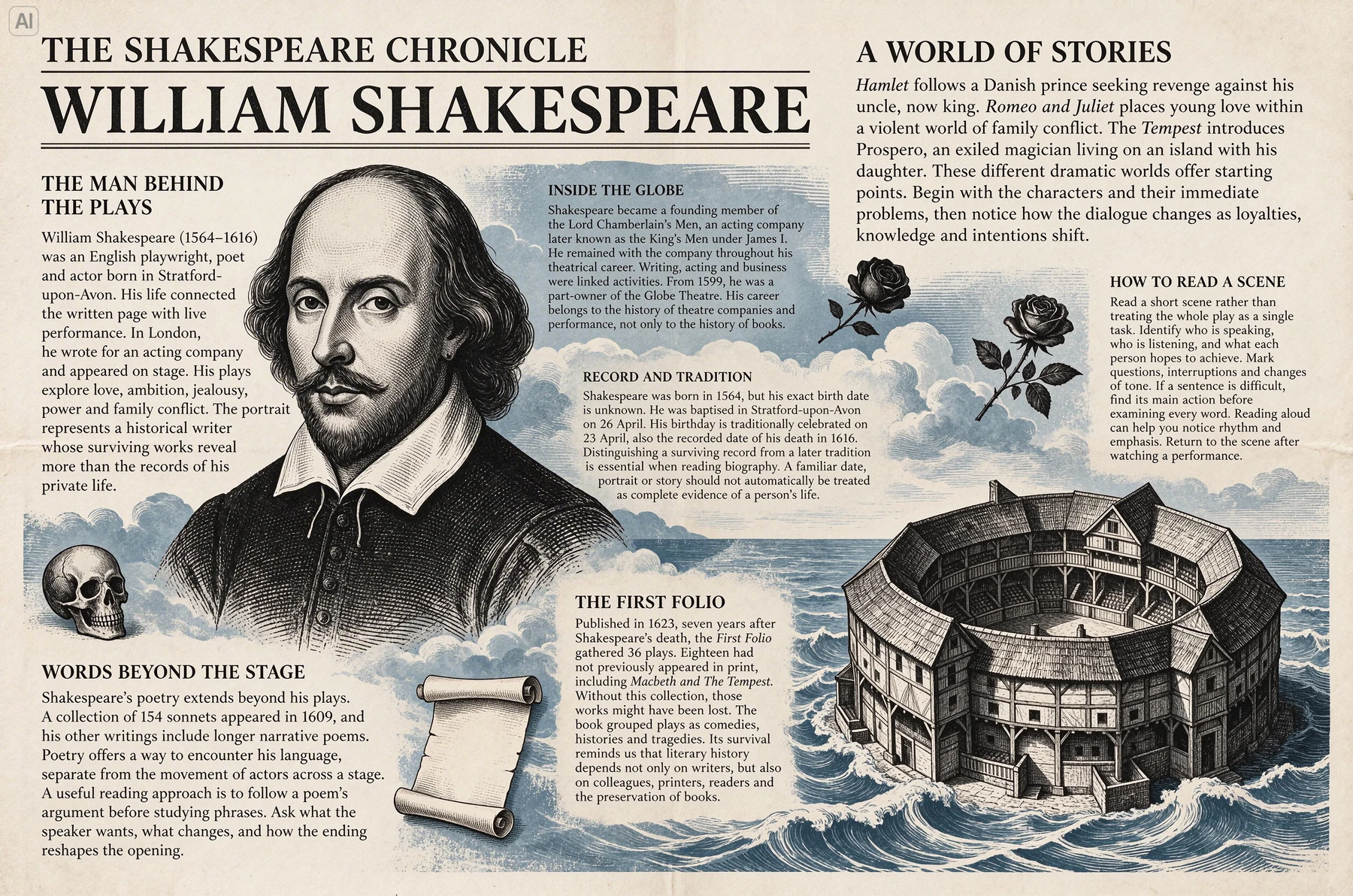
A newspaper-style Shakespeare feature with dense text and illustrations. Try a related prompt
A vintage newspaper front page titled "THE HARBOR DAILY", a large photo of a lighthouse, two columns of small legible body text and the date "November 9" under the title.
Small, dense text you can read
Newspaper columns, captions, menu boards and labels in English or Chinese. ByteDance reports severe text errors in 0.4% of its test images and minor ones in 1.7%, which makes it a model to try for posters and packaging with more than a headline.
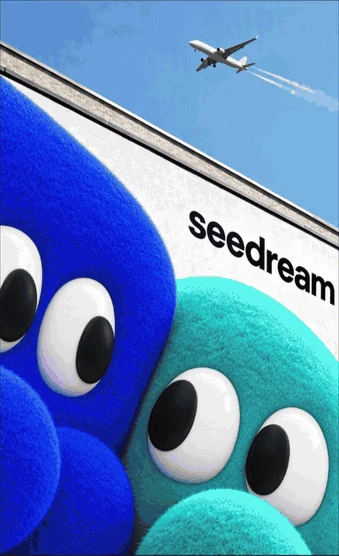
Two plush characters combined in a poster from the official creative showcase. Try a related prompt
The woman from the first image wearing the coat from the second image, holding the handbag from the third image, standing in the café from the fourth image, morning light, editorial photo.
Up to 10 reference images in one picture
Give a person, an outfit, a product and a place as separate images and ask for one scene with all of them. Seedream 5.5 takes up to 10 references in a single request on Genvima.
Seedream models and credits on Genvima
| Model | Made by | Sizes | Reference images | Credits per image |
|---|---|---|---|---|
| Seedream 5.5 | ByteDance | 1K, 2K | Up to 10 | 3 to 5 |
| Seedream 5 Pro | ByteDance | 1.5K, 2K | Up to 10 | 6 to 12 |
| Seedream 4 | ByteDance | 1K, 2K, 4K | Up to 10 | 4 |
 Seedream 5.5
What you can make with Seedream 5.5
Six jobs it does well, each with a prompt you can paste into the box above and change.
Product and e-commerce images
The same item in several scenes for a store, a marketplace or an ad, with the label and shape kept as they are.
Try this promptPlace the perfume bottle from the image on a wet black stone in a misty forest, soft side light, small water drops on the glass, keep the label exactly as it is.
Room redesigns
Restyle a room photo and keep the walls, windows and perspective, so the result still looks like the same room.
Try this promptRedesign this living room in a warm Japandi style: low oak sofa, linen curtains, a paper floor lamp. Keep the windows, walls and camera angle the same.
Try-ons and accessories
New glasses, jewelry or a jacket on the same person, sitting naturally with the pose and the light.
Try this promptPut a silver chain necklace and small silver hoop earrings on her, matching the soft daylight. Keep her face, hair and dress unchanged.
Posters, menus and signs
Short headlines and denser text blocks where the spelling has to be right. Check every word before printing.
Try this promptA café chalkboard menu titled "Morning Cloud" listing "Flat white 4.50", "Matcha latte 5.00" and "Croissant 3.20" in neat hand lettering, warm interior light.
Character and mascot sets
Keep one character consistent over a set of images by feeding earlier results back in as references.
Try this promptThe same orange cartoon fox from the reference image waving hello, then sitting with a laptop, then holding a coffee cup, three poses side by side on a white background.
First frames for video
Design the opening frame as a still, then animate it with the AI video maker.
Try this promptWide shot of a lone red tram on a hillside street at sunrise, mist below, warm light on the tracks, cinematic still, 16:9.
Seedream 5.5 vs Seedream 5 Pro vs Seedream 4
Genvima keeps three Seedream models in the menu. They take the same prompts; what changes is size, references and price.
| Seedream 5.5 | Seedream 5 Pro | Seedream 4 | |
|---|---|---|---|
| Best for | Repeated edits, realistic light, small text | Rich photographic detail | Large files at one price |
| Sizes | 1K and 2K | 1.5K and 2K | 1K, 2K and 4K |
| Aspect ratios | 10 | 10 | 11 |
| Reference images | Up to 10 | Up to 10 | Up to 10 |
| Credits per image | 3 to 5 | 6 to 12 | 4 |
Seedream 5.5 prompt guide
For a new image, brief it like a photographer: who or what, where, what light, what lens or style. "A small ceramic sign shaped like a cloud above a wooden door, soft morning light, product photo" is enough.
For an edit, say what changes and what must stay. "Change the door to dark green. Keep the sign, the wall and the light exactly the same."
- One change per round. The model is built for many rounds, so use them instead of packing five edits into one prompt.
- Name each reference. "The woman from the first image wearing the jacket from the second image."
- Put text in quotes, spelled exactly, with capital letters where you want them.
- Describe light in plain words: window light, overcast, golden hour, studio softbox.
- Set the shape in the settings, not in the prompt.
How to edit one picture many times
Seedream 5.5’s strongest trick is the long edit session, and it works best as a loop:
- Start from your photo in Image to Image and make the biggest change first, usually the background or the light.
- Download nothing yet. Send the result straight back in and make the next change.
- Keep each instruction to one thing and repeat "keep everything else the same" at the end.
- If a round goes wrong, go back one step in Assets and try that round again, instead of fixing a broken result.
Each round is a new image at the normal price (3 credits at 1K, 5 credits at 2K), and a refused or failed round costs nothing.
Seedream 5.5 vs Seedream 5.0 Pro
Seedream 5.0 Pro (Seedream 5 Pro in the menu) is the model Seedream 5.5 replaces at the top of ByteDance’s line, and the two are close in what they make from a fresh prompt. The difference shows when you edit. 5.5 is built to change only what you name and to keep a picture stable over many rounds, where older models slowly soften faces and shift colors. ByteDance also reports more legible small text and more natural skin and light in 5.5.
On Genvima the practical differences are size and price. Seedream 5.5 makes 1K and 2K images for 3 to 5 credits; Seedream 5 Pro makes 1.5K and 2K for 6 to 12. Keep 5 Pro in mind when you want to match a set you already made with it, and use 5.5 for everything new.
Image to Image tips for Seedream 5.5
Most of what makes Seedream 5.5 different happens when you start from a photo. A few habits help it keep what you want kept:
- Use a sharp, well lit photo. The model can only keep details it can see.
- Describe the change, not the whole picture. "Make the sofa dark green velvet" is better than describing the room again.
- Say what must stay: the face, the label, the window, the pose.
- Match the shape to your photo in the settings, unless you want the model to extend the scene.
- Add references in a fixed order and refer to them by number in the prompt.
When a result is almost right, do not rewrite the whole prompt: send the result back in and fix the one thing that is off.
Seedream 5.5 for e-commerce, marketing and design
ByteDance tested Seedream 5.5 on six kinds of work, and they line up with how people use it here. For e-commerce, one product photo becomes a set of scenes with the label and the shape intact. For marketing, a campaign visual can be adjusted round after round as feedback comes in, without starting over each time. For film, television and games, it makes concept frames and keeps a character steady over a series. For office work, it draws slides and diagrams with readable text. For fashion, it tries garments and accessories on the same model.
In each case the habit is the same: one strong starting image, then small, named changes.
What ByteDance announced
ByteDance’s Seed team introduced Seedream 5.5 on November 9, 2026 under the headline of more realistic images and more stable editing across 100 rounds. The post shows multi-round edits on one person, small accessories added to a pose, rooms rearranged with matching shadows, better legibility for small and dense English and Chinese text, and images with a native transparent background.
ByteDance made the model available in its own apps and on its BytePlus platform at launch; Genvima reaches it through a commercial API provider, so you can use it here without an account with ByteDance. ByteDance also says it judged the model on six kinds of work (e-commerce, marketing, film and television, gaming, office documents and fashion design) and that a Pro version of Seedream 5.5 will follow. On Genvima, Seedream 5.5 returns finished images with a background; for a cut-out, ask for a plain white or green background and remove it in your editor.
Common mistakes with Seedream 5.5
- Rewriting the whole prompt for a small fix. A new prompt invites a new picture. Send the result back in and name only the fix.
- Five edits in one round. The model does one change very well; five at once means some get lost.
- Forgetting what must stay. Without "keep the face the same", the model is free to improve it.
- Blurry starting photos. Detail the model cannot see, it has to invent.
- Asking for glossy perfection. Words like "flawless" and "hyperrealistic" pull it back toward the plastic look it was trained to avoid. Describe real light instead.
- Checking the text too late. Proofread posters and labels at the draft stage, before you spend rounds on the rest.
Limits worth knowing
The comparisons in the announcement are ByteDance’s own. Run your own prompt before you commit a large batch to one model.
- Very long text still slips sometimes. Read every word of a poster before it goes to print.
- Sizes stop at 2K. For a 4K file, use Seedream 4 in the same menu.
- Crowded scenes with many small faces are less reliable than one or two people.
- Some requests are refused, including unsafe content and real public figures. A refused or failed image is not charged.
Seedream is ByteDance’s name. Genvima is an independent service, not affiliated with ByteDance; we reach the model through a commercial API provider.
Seedream 5.5 vs Nano Banana and GPT Image
Seedream 5.5 is the one to start with for long edit sessions, realistic photos and small text at a low price. Nano Banana 2.1, the default model on Genvima, is the safe pick when a real face or product has to stay exactly as it is, and takes up to 14 references. GPT Image 2.6 is the choice for designs built around a lot of text and a strict layout.
People also compare it with Nano Banana Pro, GPT Image 2 and FLUX. Nano Banana Pro is Google’s high-detail model and a strong choice for complex scenes; GPT Image 2 is OpenAI’s earlier generation and costs little for simple images; FLUX Kontext Pro is a careful editor that keeps a composition. All of them are in the same menu.
All of them draw from the same credit balance, so the quickest way to choose is to run one prompt on two or three. The AI image generator page lists all 15 image models with their sizes and prices.
Seedream and Seedance: what is the difference?
Both come from ByteDance’s Seed team. Seedream makes and edits still images; Seedance makes video with sound. A common workflow uses both: design the first frame with Seedream 5.5, then animate it with Seedance on the AI video maker.
FAQ
What is Seedream 5.5?
Seedream 5.5 is an image generation and editing model from ByteDance’s Seed team. It makes images from text, edits photos from an instruction, and is built to keep a picture stable over many rounds of edits.
When was Seedream 5.5 released?
ByteDance announced Seedream 5.5 on November 9, 2026. It follows Seedream 5.0 Pro.
How can I use Seedream 5.5 online?
Choose Seedream 5.5 in the model menu at the top of this page, write a prompt or add a photo, and press Generate. You sign in with Google and pay in credits; no API key or ByteDance account is needed.
Is Seedream 5.5 better than Seedream 5.0 Pro?
ByteDance reports better quality and usability than 5.0 Pro across its six test areas, with the biggest gains in editing and text. On Genvima, Seedream 5.5 costs 3 to 5 credits an image and Seedream 5 Pro 6 to 12.
Seedream 5.5 or Nano Banana: which should I use?
Seedream 5.5 for long edit sessions, realistic light and small text. Nano Banana 2.1 when a real face or product must not change at all. Both are in the same menu, so try your prompt on each.
How many reference images can I use?
Up to 10 in one request.
What sizes does Seedream 5.5 make?
1K and 2K on Genvima, in 10 aspect ratios from 21:9 to 1:2.
Can Seedream 5.5 make transparent images?
ByteDance announced native transparent output. On Genvima the model returns images with a background; ask for a plain backdrop and cut it out in your editor.
How much does a Seedream 5.5 image cost?
3 credits at 1K, 5 credits at 2K. The price is on the Generate button before you start.
Is Seedream 5.5 free?
No. Seedream 5.5 is paid with credits: you sign in with Google, buy a plan or a credit pack, and every image shows its price on the Generate button before you spend anything. To try an idea first, the free Basic engine in the same menu gives you one free video and three free images a day, with no credit card.
What happens if an image fails?
If the model fails or refuses the request, the credits for that image go back to your balance automatically.
Keep exploring
- GPT Image 2.6OpenAI’s newest image model, Sunburst and Flare: exact text, strict layouts and long briefs.Open
- AI Image GeneratorText to image and image to image on 15 image models.Open
- Seedance 2.0ByteDance’s video model with sound: multi-shot clips up to 15 seconds, from text, a photo or reference images.Open
- AI Product Photo GeneratorOne phone photo of your product, six studio and lifestyle shots of it.Open
- AI Interior DesignRestyle or stage a room from one photo, walls and windows kept where they are.Open
- PricingPlans and credit packs. One balance pays for every video and image model.Open
Try Seedream 5.5 now
Write the idea, pick the model, and see the price before you generate.
Back to the prompt box